Device - iphone 16 and MacBook Pro
Operating System/Browser (if using the web) - Sequoia 15.7.3/Chrome
Question or Issue
I've had the "You're out of storage" message for about a year but most of my dropbox usage is temporary file viewing (via "viewed links") that is sent to me from other people for quick download to my device then I never see it again.
I've had a handful of folders that were "shared" to me over the years with large amounts of pictures and videos but the most recent folder was back in 2019.
I've been deleting these same folders and individual files over and over and over tonight and it won't stick. The pop-ups saying they're removed come up, and sometimes, the file would disappear to then reappear again soon after, but most of the time, a pop up would say "xyz folder has been removed from your dropbox" but then I'd be staring right at it, not removed.
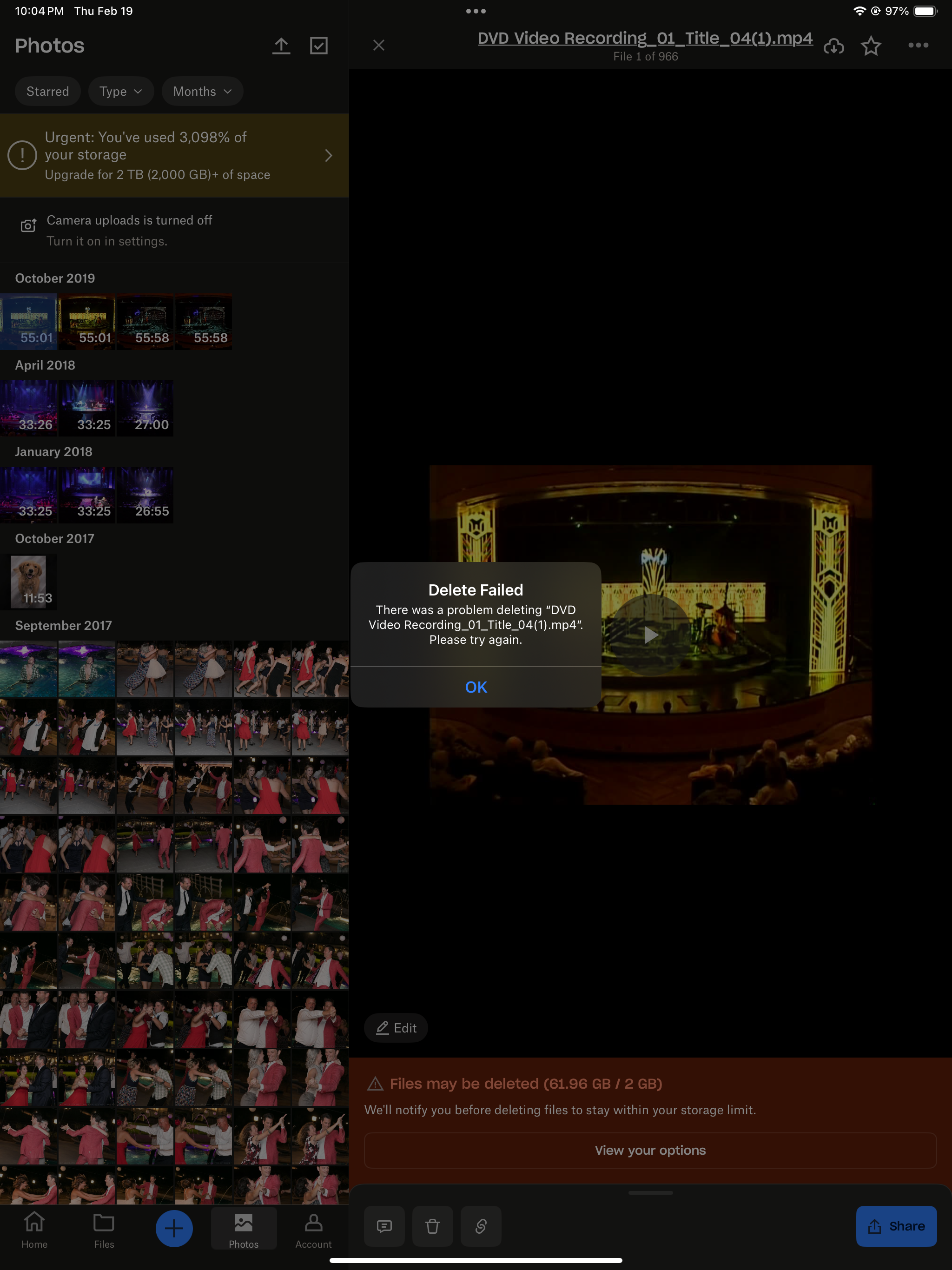
When I go to "Photos" one random folder of 915 photos is there and (10) 11min-55min long videos that are all from completely different "removed" folders are there and I get an error message that says "there was a problem deleting xyz. please try again." no matter which device I try to delete them on.
I've now "removed" literally every folder from my dropbox from every device I have and nothing has changed. It says I have "61.96GB of 2GB used". Please help me solve this!!