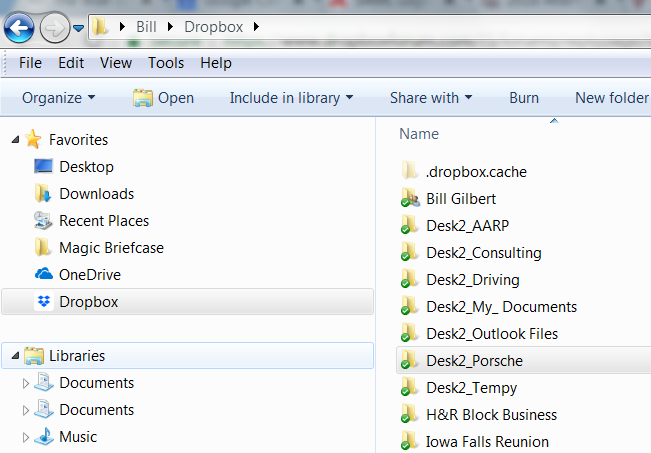
I have a Dropbox folder on 2 computers. On my Windows 10 machine, it works with File Explorer just like any other folder. But on my Windows 7 machine, File Explorer does not show any subfolders on the left hand side; in fact, there is not even a carot (arrow) to expand the Dropbox folder. When I click on it, I get the subfolders in the right hand part of the screen. But they won't expand either (no carot/arrow) unless i click on them.
This makes moving files much slower than it should be.
My file explorer is set to display hidden files, so that isn't the cause. Other suggestions?