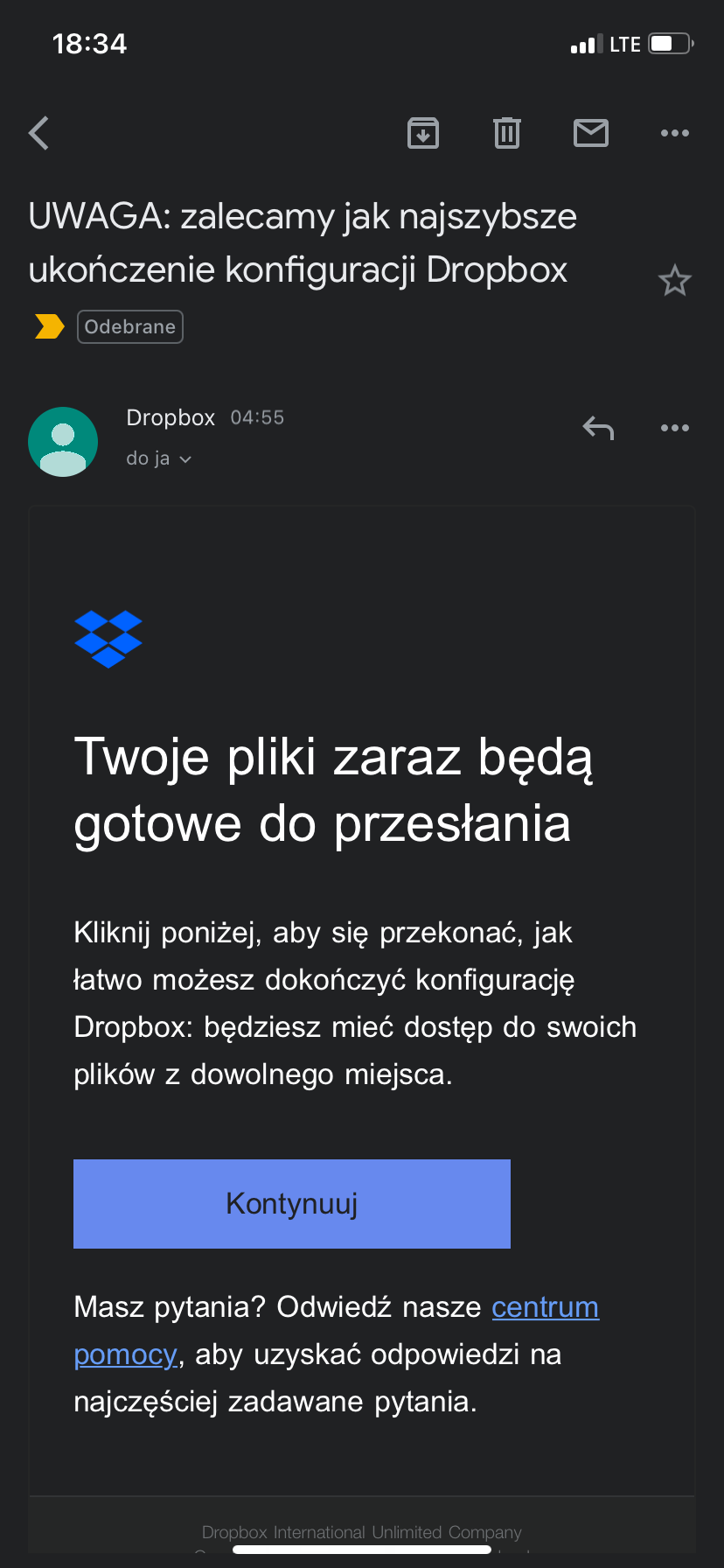
I received an email in my language, which can be translated to: LISTEN: We recommend you finish your Dropbox-installation ASAP. I haven’t started installing it anywhere new, so why did I get this email?
Hi @Englishteacher, let's have a look!
Is it possible that the address you received this email to, is linked to another Dropbox account of yours?
Would you be able to send me a screenshot of the email in question? Just make sure no personal info is shown there. Also, is the domain this message came from, an official Dropbox domain?
Keep me posted, and we'll take it from there!
Hi @JohnGoodwillie, welcome to our Community!
Is it possible that your app is linked on a different Dropbox account, using a different email address, than the one you received the email to?
Keep me posted, and we'll take it from there.
Hey Hannah,
Here's a screenshot of the mail. Could it be a phishing mail?
The email address it was sent to is the same as the one used for my current Dropbox account.
No, the email came to the same email address as I use for Dropbox. Continued on next reply.
Continuation: Dropbox says: “Dropbox for macOS is now ready. Update Dropbox to use it on the latest version of macOS. [Invitation to click on] Upgrade.”
Hey everyone, I hope you’re doing great!
@Robert_Bl, I’d suggest ignoring this email and not clicking on anything, if you’re not sure about the sender. If you keep receiving the same type of emails though in the following days, please let us know.
@JohnGoodwillie, can you clarify which OS version is your device running at the moment? Is it possible that the email you’re referring to is the prompt to install the updated Dropbox for macOS app? Feel free to send over a screenshot of the message you mention, if you prefer.
Hi Nancy,
I'm on macOS Monterey version 12.6.1. It's possible I haven't gone into Dropbox since I got this.
The email I got was:
Completing my Dropbox setup doesn't sound like updating my Dropbox to make it compatible. Is that all it is?
John
Hey John, thanks for the screenshot!
Was this email sent to you by no-reply@dropbox.com or another one of our official domains?
Hi Nancy, it was no-reply@dropbox.com
Hey @JohnGoodwillie, thanks for clarifying that for us.
It seems that the email you received is legit and is probably prompting you about this update.
If you choose to move forward with the update, make sure to familiarize yourself with the changes outlined here.
Hope this helps!
Thanks, Walter and Nancy. That seems to be working. Grateful for your help.
How many times do you do this in error? I just got it this morning, and I'm afraid that someone abusing the system is able to gain access to my dropbox if I clicked the "Continue" in that email. Or is it possible they create a new dropbox account with also my email address as a sort of identity theft?
Hey everyone!
To those who have flagged this with us, we want to confirm that this is actually a legit Dropbox email, so it's nothing suspicious.
You can either ignore it, as it must have been sent out in error, or even click the "unsubscribe" option at the bottom of the email.
If you want to confirm that your account is secure, you can simply sign into it online, without clicking the links in the email.
Then please add more detail in the email, to tell me what they are talking about? I just got another one 4 hours ago and maybe it is something I don't remember that I did on a specific computer, but I have no clue which computer to look on. A host name would help.
I realized it is not even sending it to the same email address that I have my dropbox account on.
Hello, today’s night I received and email from Dropbox that I think might be a prove someone hacked my account or maybe a phone(?). The title is saying “ NOTE: We recommend completing your Dropbox setup as soon as possible”And under this is a message:“ Your files are about to be ready to uploadClick below to see how easy it is to complete the Dropbox setup: you will have access to your files from anywhere.Keep goingDo you have questions? Visit our help center for answers to frequently asked questions.”This email is from no-reply@dropbox.com so it looks legit. Email was sent at 4:55 and it looks like someone checked some files from my account and wanted to download it and then Dropbox sent me this email. I’m not sure what to think about this because I didn’t touch my phone at this time, but when I did see this email, I took my laptop, downloaded Dropbox and started to downloading some files on it and I didn’t receive any messages like that one from earlier. Of course I changed my password and every time when I logged in to another device I got email saying that someone logged into my account (I didn’t receive message like this before).I’m writing here because I wanted to make sure if I need to hard reset my device, or maybe this is something like a normal message reminding to me that I might want to do something with my files.I’m not sure that’s important but my account wasn’t used in something about 5 years because I achieved limit for free space and just left it like this.
Hey @brzoserr, thanks for using Dropbox and welcome to our Community!
Could you please double check and confirm that this email comes from an official domain of Dropbox?
Also, do you see any suspicious devices or web sessions in your account's Security page? What about your events page?
Keep us posted on your findings and we'll take it from there.
Hey @brzoserr, great job on changing the password to the account, and troubleshooting steps you followed!
Can you send me a screenshot of the email itself, in order for me to also have a visual? Just make sure no personal info is shown there, like your email address.
Thanks!
Of course I can send it but I’m on my phone right now and I can’t post it here. Any advice how or where can I send it?
Edit: Alright, I'm on my laptop right now and I can post here a screenshot. Unfortunatelly it is in polish language, but in my first post here, I translated it
Amazing job on the screenshot, thank you @brzoserr!
I can confirm that this email is indeed from an official Dropbox domain. It might have been automatically sent by mistake.
If you managed to sign into your account, and checked that everything is the way it should be, then feel free to ignore it.
Hello again,
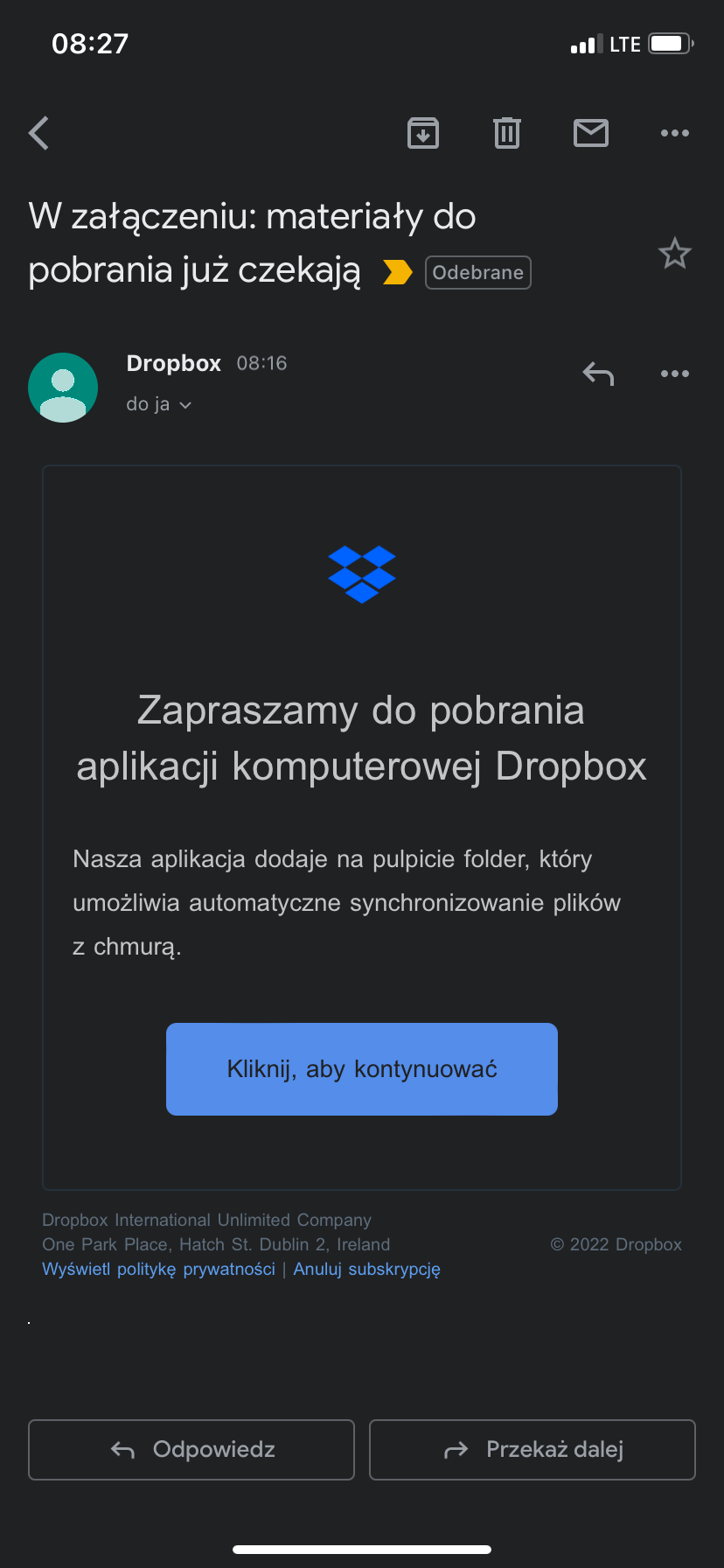
today morning i received another email from dropbox, could you look at this?
It says:
Attached: downloads are already waiting
Hi @brzoserr, can you clarify if it's coming from an official Dropbox domain this time too?
Also, is the desktop app already installed on your device?
Hi @brzoserr, have you also checked that the email address you're receiving these emails to, is the same one you use for your Dropbox account?
Is it possible that you have two accounts, and the emails are referring to another account?
Thanks for clarifying that for us @brzoserr
Would it be OK if we reach out via email to have a further look internally at this point?
No worries @brzoserr - I've just sent you an email to the email address that's connected to your Community profile.
Please have a look at your inbox and we'll take it from there.
I already have an account but I received this kind of email message more than once. However, for me, this started after I started to log in online and stopped when online I got the same kind of confusing message as I was logging in, as if I never had an account before. I stopped in case something needs to be fixed somehow. I don’t know what to do about this.