Hi, please can you help.
I am using the following post to try to create a folder inside the "Scanned Docs" Folder shown below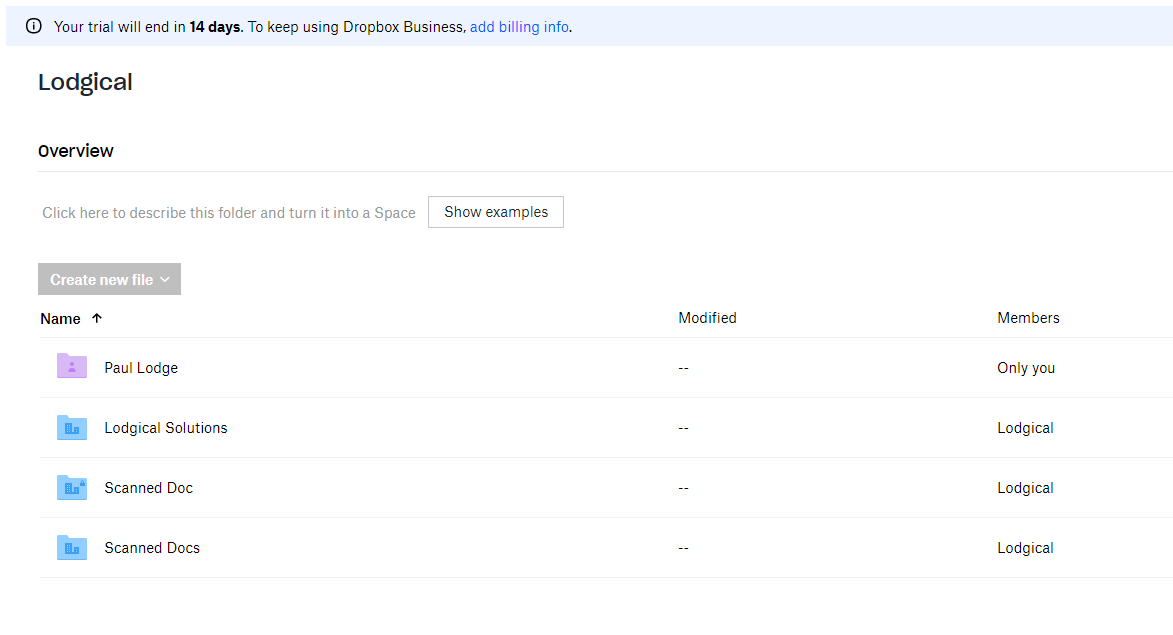
URL = https://api.dropboxapi.com/2/files/create_folder_v2
Contents of my Post =
--header "Authorization: Bearer <<dropbox_token>>" \
--header "Dropbox-API-Select-Admin: <<TEAM_MEMBER_ID>>" \
--header 'Dropbox-API-Path-Root: {".tag": "root", "root": : "84********"} \
--header "Content-Type: application/json" \
--data "{\"path\": \"<<file_path>>\",\"autorename\": false}"
I have tried every permutation I can think of in the 'Dropbox-API-Path-Root (including "Home" and "namespace_id" options and numbers 1-7 in the id. The number starting with 84 above is the namespace_id for the base directory called "Lodgical's Shared Workspace" as derived from a "https://api.dropboxapi.com/2/team/team_folder/list" post. The "<<TEAM_MEMBER>> was discovered by using a "https://api.dropboxapi.com/2/team/members/list" and returned: a dbmid with a tag of "team_admin".
I am using a new API app with "scoped" permissions and have pretty much every setting ticked as active
Pretty much everytime I think I have the syntax right etc I get the error: {"error_summary": "path/no_write_permission/..", "error": {".tag": "path", "path": {".tag": "no_write_permission"}}}
Everytime I switch to try the Dropbox-API-Select-User header instead - it creates the folder I want but inside the "Paul Lodge" Home Space.
I have read the namespace documentation etc from top to bottom, I can't quite work out what piece of the puzzle I am notting getting right. Can you please help?

