There’s nothing worse than forgetting an idea, or losing an important piece of paper. The one thing we never lose, and usually don’t forget is our phone - so now with the Dropbox Scanner App, you can save, organize, and share important documents right from your phone. Dropbox Scan is a standalone app that lets you quickly transform all your physical documents into high-quality PDFs. It’s everything you love about doc scanner in the Dropbox app—but even faster and easier to use. The app is available to iOS users in English-speaking markets, and you can sign into Dropbox with your corp email or a Basic, Plus, or Professional account. Whatever the situation, whether it’s a piece of paper, a receipt or even a whiteboard of notes, you can conveniently save high quality scans to Dropbox.
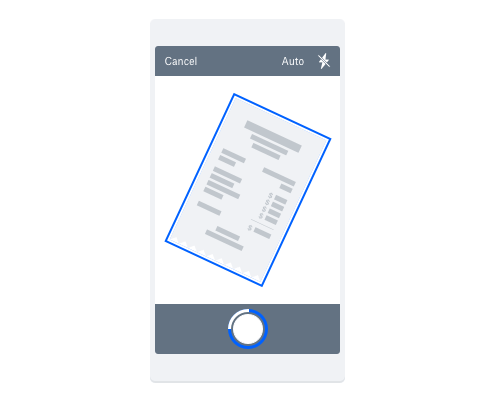
- Receipts - Take the pain out of your next expense report, and save receipts as you go.
- Whiteboard drawings - Never feel rushed in a meeting or presentation again. Just use the doc scanner, and an image of the whiteboard will be uploaded as a PDF or PNG to Dropbox.
- Contracts, bills, and invoices - Now your filing cabinet can be digital, and take up a lot less space. And of course, you can share it with others who need access.
- Photos - We’ve all taken a photo of a photo, but now you can scan them and keep them safe, with the same phone - just better results.
- Business cards - Never lose an important connection! Easily upload business cards from meetings, conferences and trade shows—right from your mobile device.
- Magazine clippings - Instead of ripping out a piece of a magazine or newspaper scrap you will inevitably lose, just scan the page or excerpt into Dropbox using the document scanner.
- Personal cards and notes - Scan those thoughtful personal notes into Dropbox for keepsakes without the clutter.
- Handouts - Scan in materials from classes or seminars for easy reference— they’re a lot less likely to get crumpled or torn in a digital setting!
- Napkin sketches - Never lose your next big idea again.
There’s a Smart crop feature, Smart folder suggestions based on where you've saved recent scans, and you can even edit the scan for clarity!
You can probably tell we’re a little excited about this one! Which of these uses are you excited about?











