Hello everyone.
I am trying to login and upar a file in the dropbox using command line, (RAW socket).
I am having difficulty understanding how to do it, because I always get error from my commands.
I am using the reference:
https://www.dropbox.com/developers/documentation/http/documentation
What do I do:
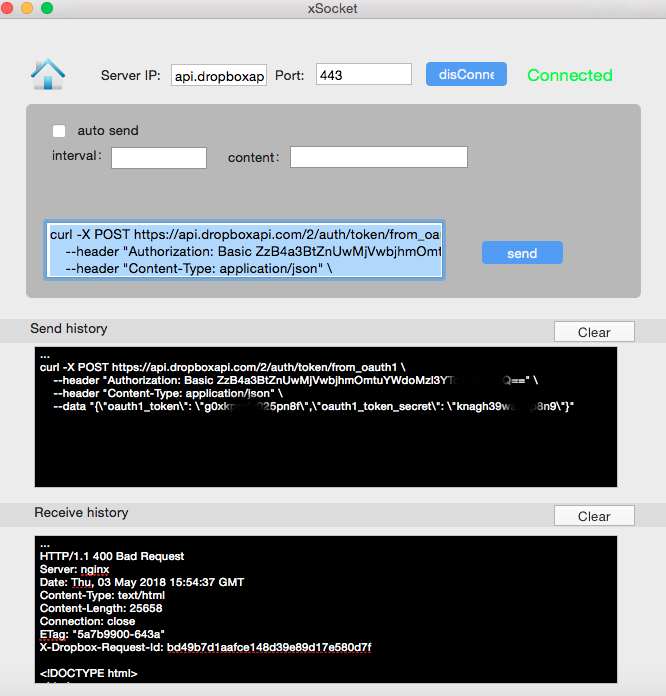
I connect to the dropbox at the following address:
Server IP: api.dropboxapi.com
PORT: 443
I send the commands that have in the above address, to log or send file, but only returns me error, for example:
Sending:
curl -X POST https://api.dropboxapi.com/2/auth/token/from_oauth1 \
--header "Authorization: Basic ZzB4a3BtZnUwMjVwbjhmOmtuYWdoMzl3YTc1cxxxxxxxxt" \ "
--header "Content-Type: application / json" \
-data "{\" oauth1_token \ ": \" g0xkpmfu025xxxx \ ", \" oauth1_token_secret \ ": \" knagh39wa75xxxx \ "}"
I get:
HTTP / 1.1 400 Bad Request
Server: nginx
Date: Thu, 03 May 2018 15:54:37 GMT
Content-Type: text / html
Content-Length:
Connection: close
ETag: "5a7b9900-643a"
X-Dropbox-Request-Id: bd49b7d1aafce148d39e89d17e580d7f
<! DOCTYPE html>
Any command I send, I always get it! I do not understand what I'm doing wrong ....
Can someone help me?
Is there an example command for me to send to test the connection?