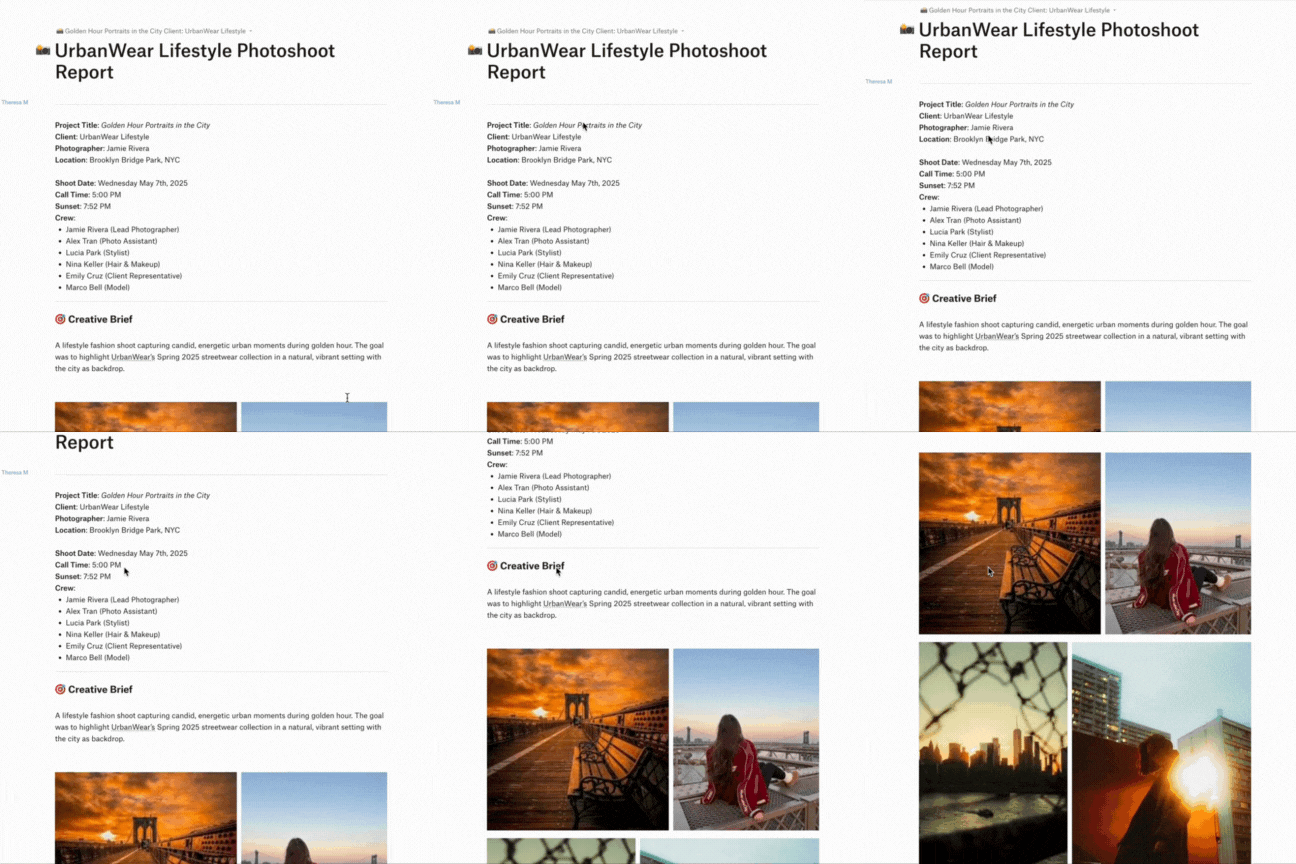
Hey photographers! With only small windows of opportunity on certain shoots, it helps when everyone is on the same page when it comes to organisation 🌅.
Have you ever used Dropbox Paper? 📝✨
It can be a really versatile tool that can enhance your photo shoot planning and note-taking, it also streamlines the correspondence with your client or models by keeping it all within the Dropbox tool. Here are some cool ways to utilise Dropbox Paper to smooth sail through your shoot 🎬🚀.
First things first, integrate your photo shoot schedule by linking calendar events directly within your Dropbox Paper doc. This gives everyone easy access to your schedule and keeps timing clear. An extra tip - if you sync your Google Calendar with ReclaimAI, it can even notify you of the weather, sunrise, sunset, and moonrise… handy for natural light shoots or golden hour planning .
Use Paper as your mood board for inspiration images and notes. You can easily drag and drop images and text to create a visually appealing layout that captures the essence of your future shoot. Best part is, anyone on the doc can get involved 💫.
During the shoot, use Dropbox Paper to take notes and document the process. This can include lighting setups, camera settings and any adjustments made on the fly. Having this info recorded can be really valuable for future projects 📓.
Make sure you create the checklist for equipment, wardrobe, and to double check waivers are signed etc. You can also assign to-do’s to people on the Paper doc. This ensures nothing is overlooked on the day of the shoot! 📋
To get everyone on the project to get involved, you can invite people onto the doc and work on it in real time. Think quick... this feature allows instantaneous feedback and adjustments, making it easier to refine and define plans as a team 🖼️.
After the shoot, share the doc with your clients to provide them with insights into the planning process and the shoots itself. This transparency can enhance client relationships and really show the amount of work that goes into just one photo 🔗