Hi,
I have a really weird error that I have no idea how to deal with.
I've been using a free dropbox account since like 2011, and last week I was editing some video on my windows laptop with Premiere Pro. I didn't save any files to my dropbox, instead saving them to my One Drive documents folder.
However, for some reason they spontaneously appeared in my dropbox folder and have now exceeded my storage capacity. But, if I look at the properties of the dropbox folder on that same laptop, it only shows 672 megabytes saved, and those files are nowhere in the dropbox file system for me to delete.
If I go onto the web version or mobile app, I can hit "recents" and see a bunch of those Adobe files, but when I hit the ellipsis next to them I only have two options, I can't delete them.
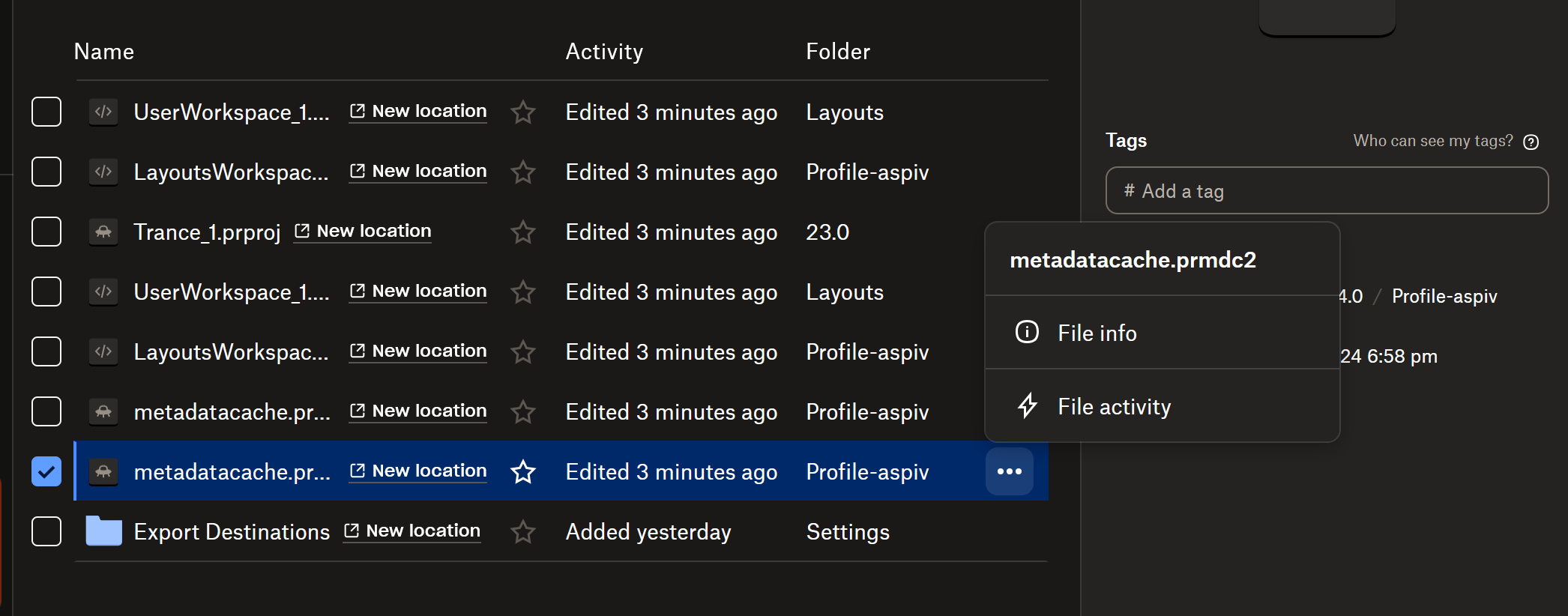
How do I get rid of these files? I never saved them to this location, can't figure out where they are, and don't want them on my dropbox.
Has anyone else encountered this?

