Hi ...
I'm having issues when testing Rewind/Versioning using Windows 11 Workstation - MS Edge .. I hope the below makes sense, I've put the text in bold for the questions... Thanks in advance.
- I create a folder called Test located in the My Documents folder which is then synced by Dropbox.
- In this folder called Test I create five individual text files and allowed to sync with Dropbox.
- I then delete the folder called Test including the five Test text files and allowed Dropbox to sync.
- I then visit Dropbox.com and select My Documents "..." and use Rewind This Folder.
- Using "Rewind This Folder" I select the time before the folder and file deletions were made and restore the Test folder.
- On opening the newly restored Test folder I was expecting to see the five Test text files but the folder is empty. Does this method only restore the folder and not the files that were stored in the folder - Is this correct ?
con't - I then decided to rewind the newly restored Test folder using the same procedure listed above.
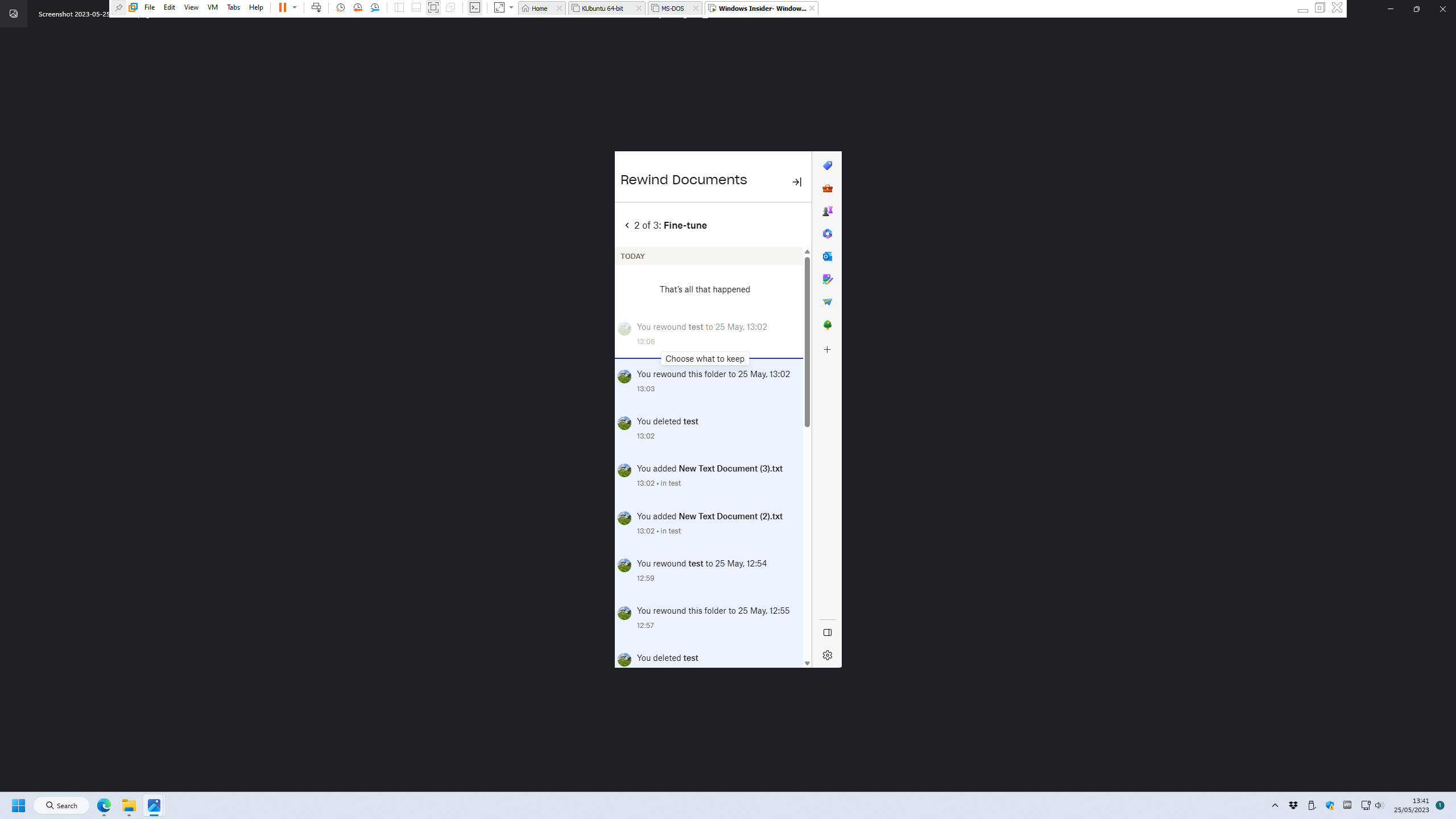
- However Rewind This Folder only allows me to restore four of the five Text files. The last file to be created/deleted can't be selected to be restored.
- I've attached a picture showing an example of not being able to select the latest "Fine Tune" action above the line... How do I select the very latest action under "Fine Tune" using MS Edge.
![Photo of [Deleted User]](https://ca.v-cdn.net/6038715/uploads/defaultavatar/nD7EMODYK89LC.svg)




