Hi,
I'm updating an app I first worked on a couple of years ago. At that time I used SaveUrlAsync and it just worked. Well, I THINK it just worked - perhaps it was missing files and I hadn't noticed. Anyhow, now I am definitely missing files. i.e. in a batch of 20 file downloads, I'll typically be missing 3 or so. In fact in my most recent attempt I saw the files download out of order - out of the files that did download, most of them downloaded in order, and then files 2 and 4 popped up at the end after the others (but still some didn't appear at all). I didn't get any exceptions.
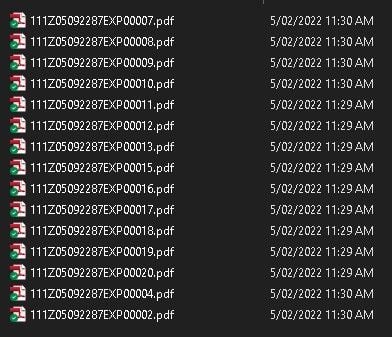
So I found this post https://www.dropboxforum.com/t5/Dropbox-API-Support-Feedback/The-method-files-saveUrlCheckJobStatus-quot-asyncJobId-quot/m-p/201554 which mentions issues with a shared folder, which is what I'm working with. Tried changing to a non-shared folder but same issue.
I also tried checking the SaveUrlResult.IsComplete, and it said false for everything! (even the files I did have)
That other post has some code that doesn't seem applicable anymore, as it talks about SaveUrlResult.Tag, and the ".tag" doesn't seem to exist anymore.
Do you have some example C#/.NET code I can follow to make sure all the files download? I tried to follow the other example, but as I said the .tag isn't there anymore (well, at least it's not showing up in my Visual Studio Intellisense - maybe it's not public anymore?).
This is what I have at the moment...
public async Task<string> SaveFromURLAsync(string URL,string Filename)
{
string resultString=null;
try {
    SaveUrlResult result=await DxClient.Files.SaveUrlAsync(Filename,URL);
    resultString=result.IsComplete.ToString();
    }
catch (Exception ex) {
    DebugUtil.ConsoleWrite(debugOn,$"EXCEPTION IN SAVEFROMURLASYNC IS {ex.Message}");
    }
return resultString;
}
Thanks,
Donald.


