We’re big fans of working smarter, (you might have noticed) and as we go into 2022, now is the perfect time to learn about integrations that make your day easier - starting with Miro. If you don’t know, Miro is the online whiteboard that enables distributed teams to collaborate any time anywhere - and works with your Dropbox files and Paper. Miro’s infinite canvas allows you and your team to lead workshops and meetings, design products, brainstorm ideas, and more, so check out some of our tips below.
Miro and Dropbox: How to make the most of visual collaboration
If you already use Miro regularly, you might have noticed some updates - and now you can work seamlessly with Miro right inside Dropbox Paper, without the hassle of switching tabs. You can embed live boards into the Paper doc you’re working on, creating a place for all the discussion and context to live together, in one place. Edit the Miro board in real time with your teammates, right as you’re writing your Paper do Paper doc and vice versa. Create robust, comprehensive documents, with all the information accessible in one place.
You can also add files from Dropbox to any of your Miro boards, so you can access the information any time and invite your team to contribute, comment, and give feedback. You can allow your team to comment and share other files, and manage the big picture during collaborative activities like brainstorming with digital sticky notes, to sprint planning and managing complex projects with cross-functional teams. This makes it easy to gather and access information, collaborate with teammates, and stay organized throughout projects.
Miro templates for 2022
With these templates, exclusively created by Dropbox in partnership with Miro, you can take a plan from a brainstorm to a product launch, tackle big projects, so you can connect and engage even when you’re not in the same place!
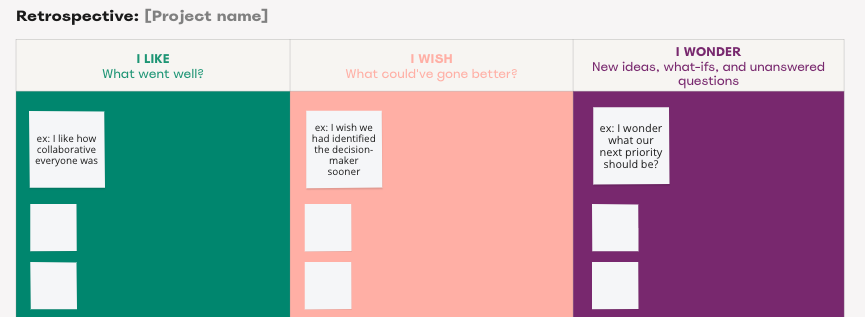
We would love to know how you use Miro - is it for collaborating with your own team or multiple teams?
Click
here to learn more about the Dropbox + Miro app integration, and
here to learn more about using Dropbox as a tool for better creative flow.