How do I move a folder out of the admin team folder? I am the administrator of the account.
Hey there @wheat101, how are you today?
You should be able to do this on our website at: https://www.dropbox.com!
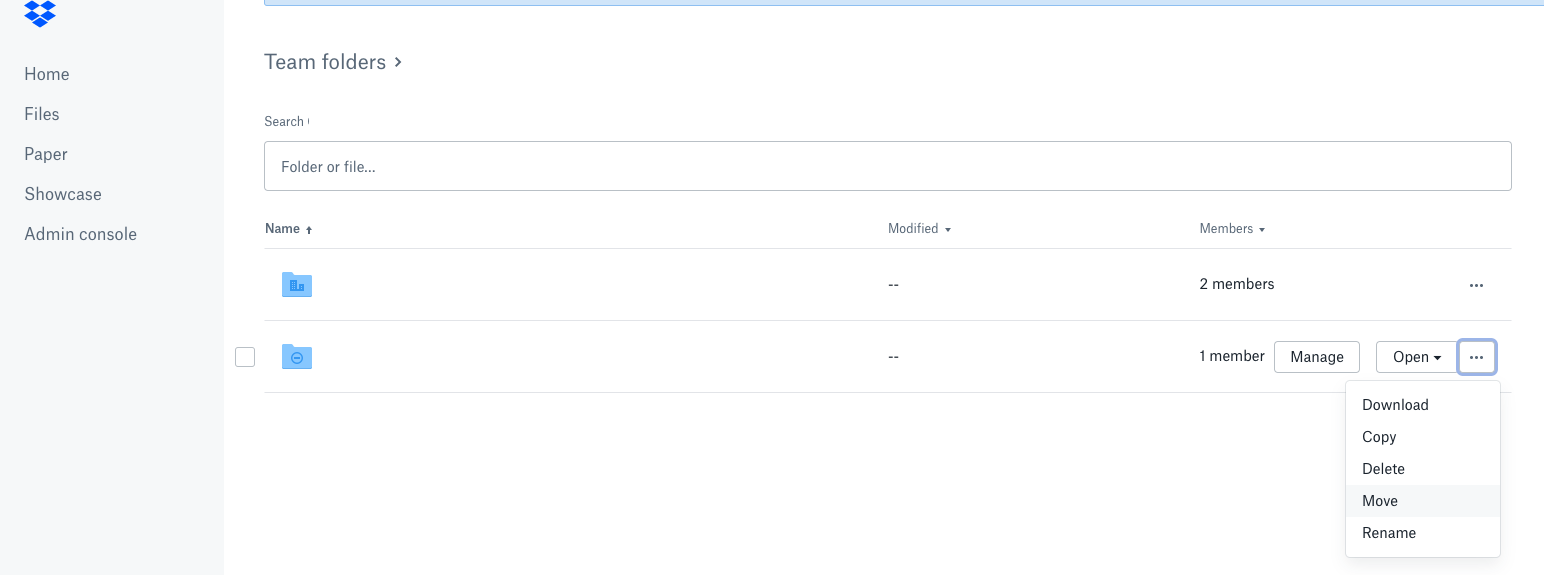
To do this, find the folder in question, select it by clicking the box to the left of its name and click on the move option from the right pane options.
Let me know if I'm missing something here please and if you happen to get an error while doing this, please send me a screenshot so I can have a better understanding of the matter at hand. Thank you.
same issue. I am trying to move/archive a folder that is inside the Team Folder, to a folder outsite of the team folder and it does not let you view any folders outside the team folder
Could you share a screenshot of that to make sure we're on the same page @MikeMMS?
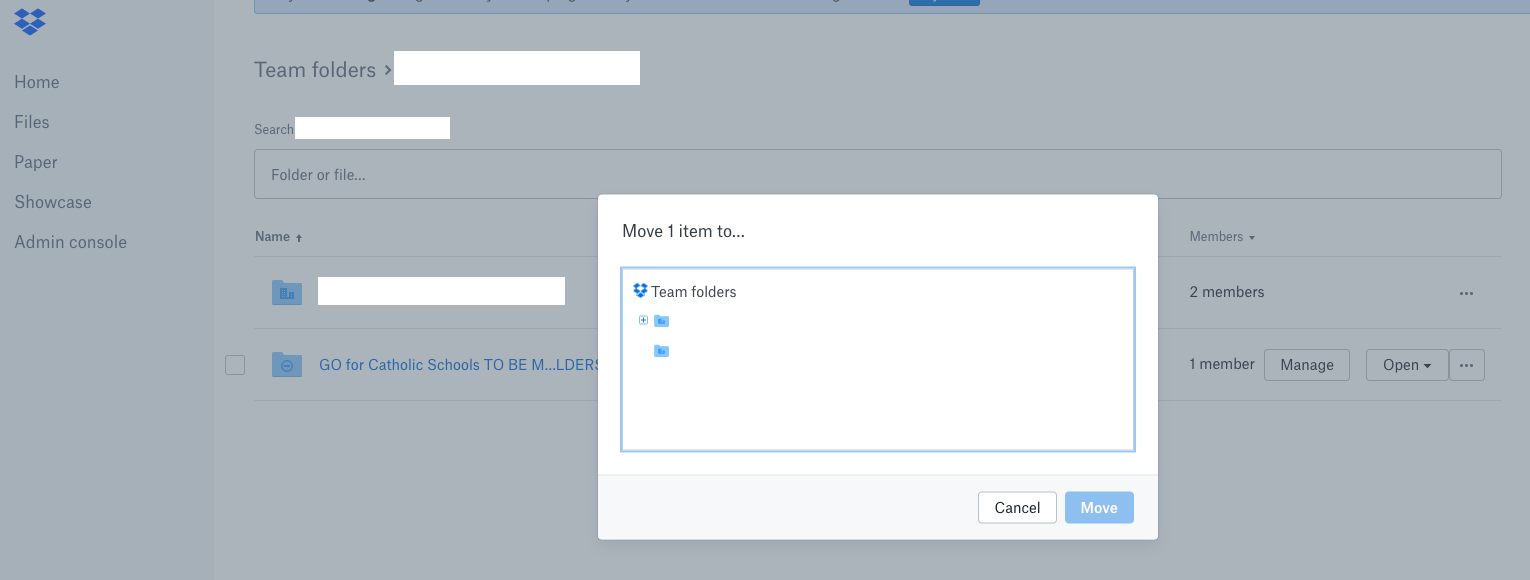
You don't have a choice to go a level higher, to move it outside of the Team Folder.
I did realize that I was doing this from the Admin Console. I then tried to do it just as a user and it said something like "This action can not be completed".
Thanks for elaborating on this one Mike.
I guess you've tried doing this on another browser to exclude browser specific issues so I'll need some additional information to look into this further.
Is the folder you're trying to move outside your Team Folder a shared folder or a private one? Are you the owner? Does it contain other (shared) folders? Would you like to move it to your account's root or to another (possibly shared?) folder?
Any information you can provide will help in our investigation so feel free to include anything you find of relevance to the case. Thanks!
Thanks for the quick response Walter.
I tried to move the folder with safari and chrome.
The folder, in the team folder, I am trying to move is shared only with the team. I can not 'unshare' the folder with the team. I was able to move a different folder that was not shared with the team outside of the team folder.
The folder I am attempting to move to is at the root, shared with 2 of my email addresses.
Thanks for the clarifications Mike - I appreciate it.
As I'd need to have a more account specific view at this point, I've just gone ahead and sent you a brief message to your Dropbox associated email address so we can work on this together.
Take a look at your inbox (ticket with ID: 9062985) when you get the chance, and we'll take it from there.
Thanks for your patience and cooperation so far!
I am having this same problem, and the marked "solution" here isn't actually a solution. How do I move a folder out of a team folder (all employees) and into a non-team folder (executive-only access)? I get an error when I try to pull something out of the team folder and back into the not-shared-with-everyone folders.
Sorry to hear you're having issues with this @KAPink!
Could you forward a screenshot of the exact error you get so that I can get a better understanding of the matter at hand?
Thanks!
Following up to my previous response here @KAPink - is it possible that you're not the owner of the said folder and that's why you're unable to move it out of the team folder?
PS: I un-accepted the solution to this thread until we get a concrete view of the matter at hand to avoid any confusion.
I am running into same issue being discussed on this thread. Has Dropbox offered a solution that allows an admin to move a Team Folder out to a non-Team folder yet? If so, please share.
I'm sorry to hear you're having issues with this @MJRgo.
Could you let me know if you're getting any specific errors when trying to do this and maybe post a screenshot so we can have a visual too?
If you could also walk me through the exact steps you take to do this, I'd appreciate ita bunch!
Thanks in advance and welcome to our Community!
I inadvertently move a folder from my business dropbox folder (only viewable by me) into a Team Folder as I was reorganizing my Dropbox file structure to faciliate better collaboration. When I tried to move that folder back out of the Team Folder to a folder in my business dropbox folder, I can only see Team Folders as options when I select MOVE. Don't see any way to navigate back to my business dropbox folder. See below for a couple of screenshots. NOTE: I am an Admin on the account.
Thanks for the screenshots @MJRgo!
Could you do me a favor and try to perform this action from your account's 'Files' tab instead from within your Admin Console?
Do you get any errors there?
Let me know and we'll take it from there!
[Note: I'm leaving the office soon but I'll be more than glad to pick this up from where we've left off on Monday]