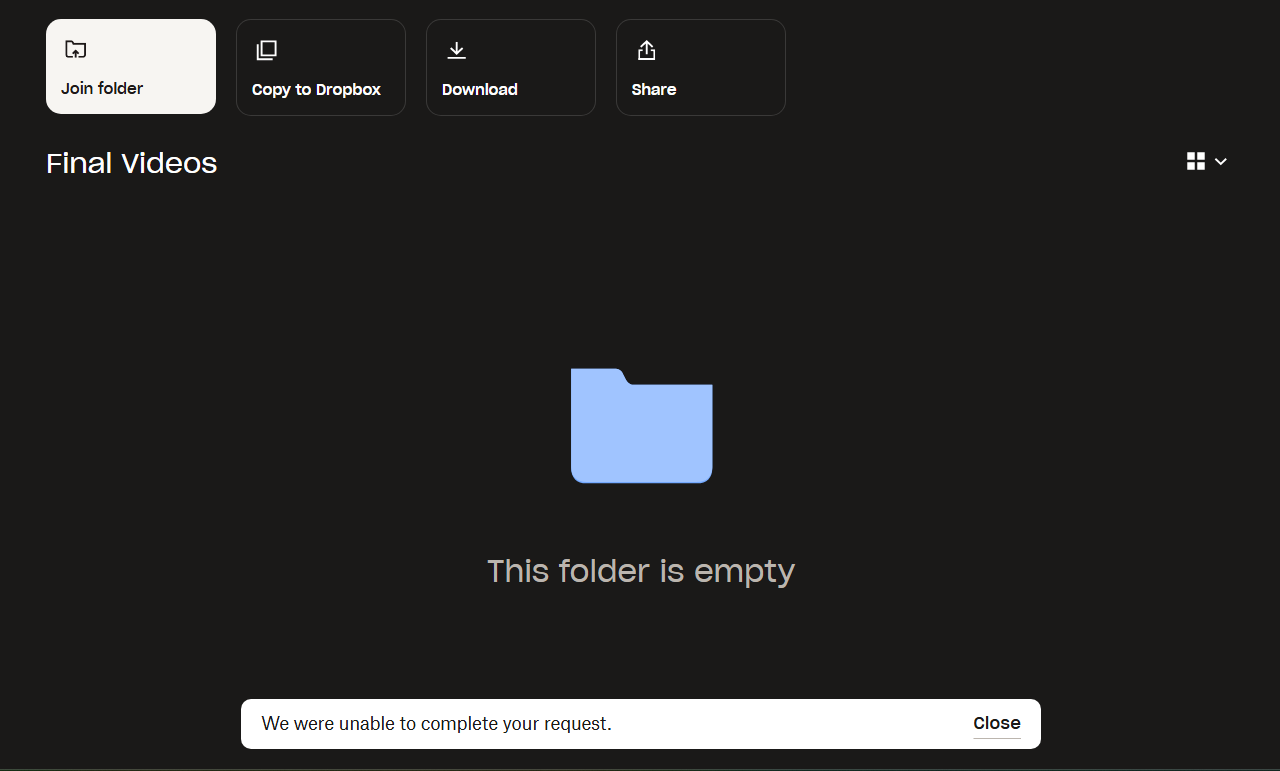
I can't join a shared folder. The error message "We were unable to complete your request" keeps popping up. The owner of the folder set it to "can edit", which means I can supposedly edit and access the folder, but I still can't join.
Hey @nyuminyumi! Thanks for posting on our Community today.
Have you made sure there’s enough space on your Dropbox account to add this folder? Is its size larger than the amount of free space you see here?
Other than that, I'd like you to clarify how you’re trying to join this folder exactly. Are you doing it via the email notification, or via the Shared tab of your Dropbox web account?
Are you getting the same error via a different web browser?
Keep me in the loop.
The folder they are trying to share to me is an empty folder, so I definitely have a lot of free space because I haven't uploaded anything on my dropbox. And I'm trying to join the folder on my browser on the link that they sent me.
Here is what it looks like when I try to click "Join folder"
Hi from me as well, @nyuminyumi!
Can you try to join the folder from the notification you received on the bell icon on dropbox.com to see if it works?
Otherwise, can you see the folder here? If so, hover over it with your mouse so that the "join folder" button appears and then click on this button and let us know if it allows you to join the folder.
Still can't see the folder on the link or the bell icon. Which is weird as they already added me as "can edit" here
Hi @dana Reyes, just checking to see if you saw our last reply.
If you still need any help feel free to reach out with the information we requested.
If your issue has been solved, let us know what worked for you!
Hello!
My issue still hasn't been resolved. I previously replied with an attached screenshot