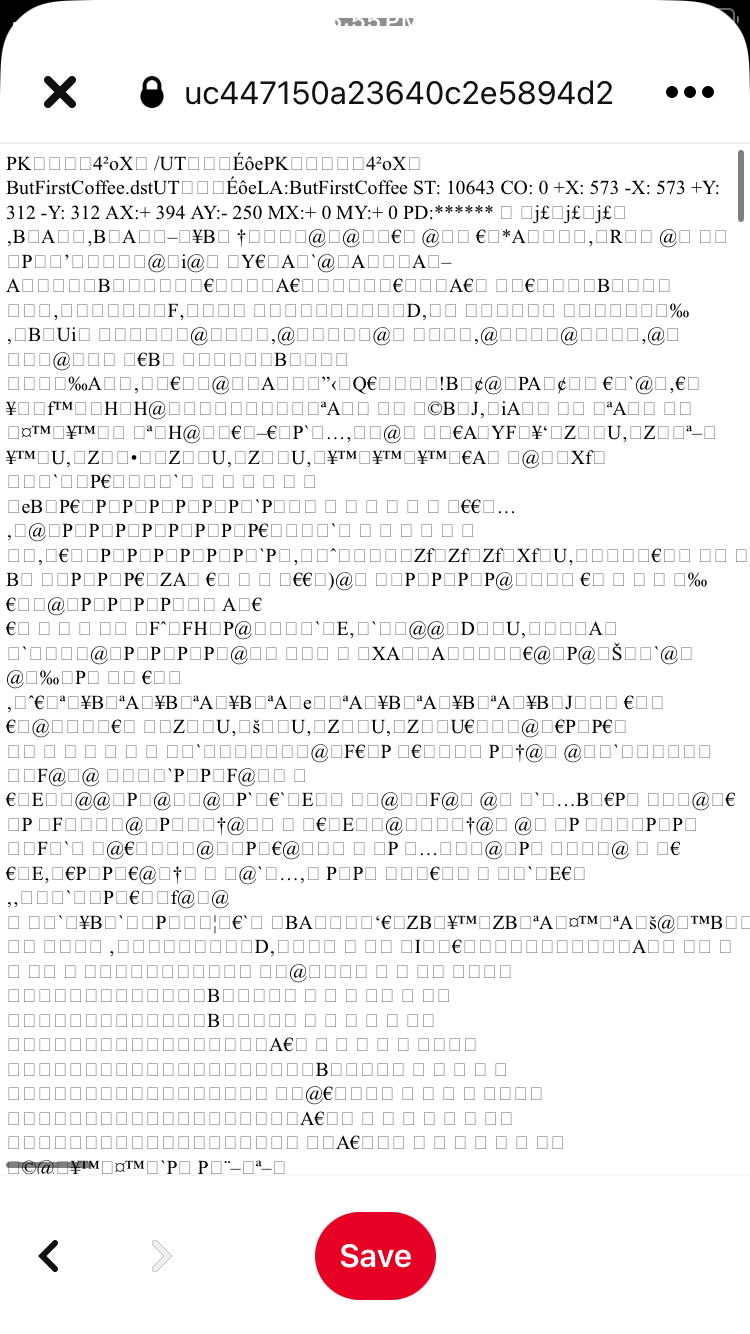
When I share a folder (tried zipped and non zipped) it works great on my Mac, but open up a long page of scrambled code with a bunch of single symbols and many boxes. What am I doing wrong! I also tried both dl=1 and dl=0 at the end of url.
Hey @meljewel, welcome to our Community!
Does this happen when you try to create a shared link, or when you paste it into your browser perhaps?
Also, let me know if this is the behavior of a specific link, or multiple ones.
Do you happen to have a screenshot, in order for us to have a visual too?
Keep me posted, and we'll take it from there!
It is a shared link, here is what it looks like. If I click the three dots on the top right and choose 'open in browser' then it does work. But I'm hoping to get rid of this weird code as I will be sending the link to many people. Thank you!!!
I should mention this is happening on my iPad and iPhone, but not the Mac. Also, I just realized it's when I'm getting to the link from Pinterest. Thanks again.
Hi @meljewel, what file type is this happening with?
How did you open the link in the first screenshot? Is it through the app, or through a different browser perhaps?
Only happens when clicking through on the Pinterest app (Pinterest app -> My Website -> Folder Link ->opens in Pinterest with coding as seen above). I suppose this is possibly a Pinterest issue? Accessing through browser is fine. My concern is a lot of my customers would use the app I assume. It's a mix of file types (in a folder) DST EXP PES SVG JEF VP3 ****** PNG
Hi @meljewel ,if the file previews normally in a browser, but not in the Pinterest app, then it would be related to how Pinterest displays these links.
It would be best to contact them directly for assistance on this matter.