I create file requests but they are not being sent. The "Share" button is greyed out. I'm on the trial, but if this doesn't really work, I'll have to go somewhere else.
Hey @RobinVideo, I'd be happy to help!
Just to make sure we're on the same page here, are these the steps that you follow on your end, in order to create your File Request?
Have you tried using an alternative browser, or to clear the cache on your current one, just to exclude any browser-related issues?
Let me know more, and we'll take it from there!
Hi Megan. See below. The "Share" button is greyed out and does not work.
Hi @RobinVideo, thanks for the added info!
It's not entirely clear to me if you tried switching browsers or not. Have you also tried an incognito tab on your current browser?
Hi Megan. Really appreciate your trying to help. I'm new to computers, sat down at my first one recently: in 1968. Still I can't imagine why the cache should impact the availability of a screen button. However, I tried going to another browser. Same thing. The "Share" button is greyed.
I'm still on the free trial to see if Dropbox works for my purposes. If Dropbox cannot send a file request without my having to create a separate email with a link, then I guess not. Very disappointing.
Nope. "Share" button still greyed out when incognito.
I have this very same issue. I tried all the usual tricks: clearing internet cache, different browser, incognito mode. Nothing will allow me to send an email File Request - to an email address that Dropbox does not recognize. When I entered the email address tied to my Dropbox account, the Share button miraculously works. As long as I send a File Request to someone whom I've already shared files with, it works. If I try to send a File Request to an email address that is not in some mystery contacts file, the Share button is greyed out. This doesn't make sense. I want to send a File Request to someone with whom I've never shared files with and likely won't ever again. If I wanted files from someone I already share files with, I'd just have that person upload the file to our shared folder. At least I can copy the link and email it to the person from whom I need the files.
Has anyone at support attempted to help you?
Hey guys, can I send you a ticket, in order for us to have a look into this internally?
Certainly. Thank you.
@RobinVideo and @TerriB, I’ve logged two tickets for each one of you. Please reply back to me, when you have some free time.
Thank you, Nancy, but I can't find where to look at my tickets. Please advise. Robin.
Hey Robin! You should be able to find your ticket at the email address that’s linked to your Community profile here. If you can’t find my email in your inbox, please check your spam folder, as well.
I thought there was a place on the DropBox website. Yes, I've been receiving your notes by email. Thanks again.
Someone at Dropbox support (HAHA) said they started a ticket for an issue evidently a lot of you have... dropbox will not automatically send an email when a request for files is made. And twice I've gone back and forth asking support (HAHA) where the ****** to access tickets. No one at support (HAHA) knows how.
Do any of you have a link? Thanks.
Hey @RobinVideo, when we mention a ticket, we essentially refer to the email chain that we have with you.
I located the ticket number my colleague sent you, and I can see that you even responded back to it.
You should be able to find all the updates, in that email back & fourth.
Hey Megan,
Thanks for your reply, and I understand that the ticket is the email chain, but the email refers me to a link:
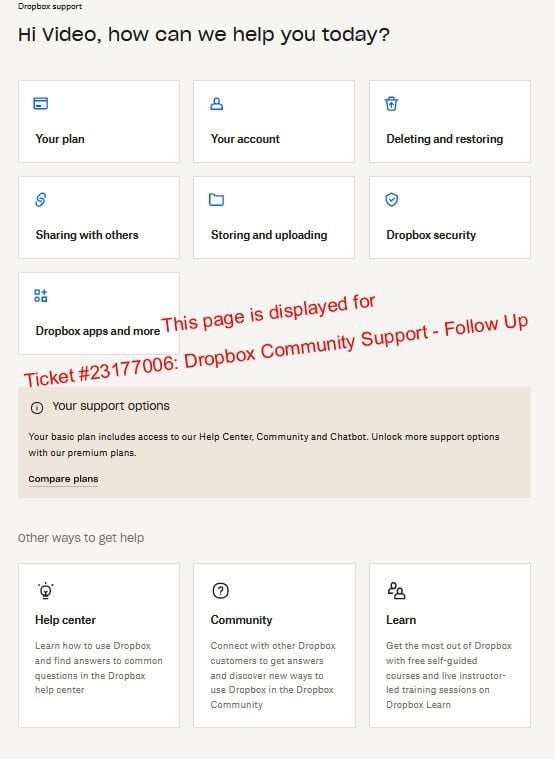
Ticket #23177006: Dropbox Community Support - Follow Up
Hi,This is an automated response to your Dropbox support request.There’s an update on your support ticket from Nancy, the agent working with you on your support request.You can view it by logging in to your customer portal at https://dropbox.com/support.Please be sure to log-in with your Dropbox credentials associated with the email address on this ticket.
If we don’t hear from you in the next few days, your support request will be closed. You can reopen it at any time.Thanks,Dropbox Support
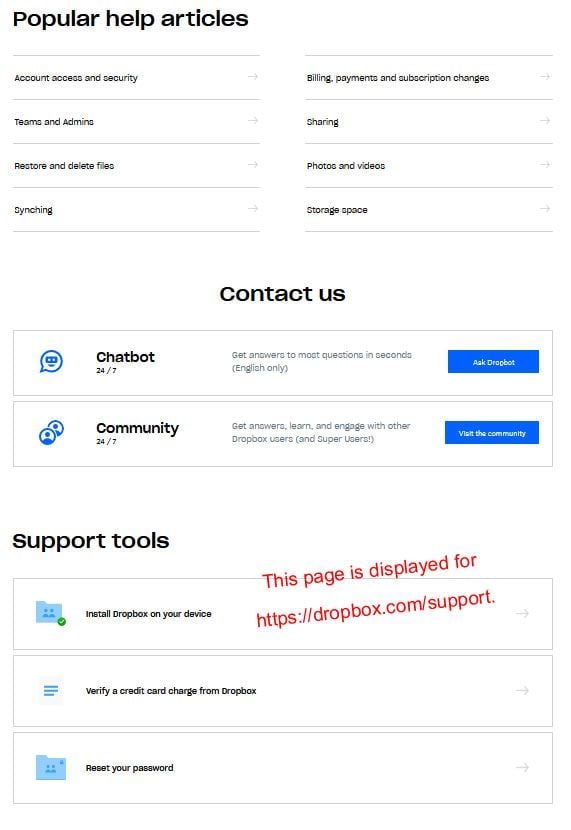
When I go to "You can view it by logging in to your customer portal at https://dropbox.com/support." I get a page that is unrelated and provides no feedback
and the statement, "If we don't hear from you in the next few days, your support request will be closed," doesn't allow me to do anything except keep responding to your emails asking the same question. There must be something I'm missing.
Hi again, @RobinVideo! If you open the email address that's linked to your Dropbox account now, can you see my email and reply back? I've sent you a new one, just in case.
If you can't see it in your email's inbox, please check your spam folder, too.
When you say "Email inbox," I presume you mean the inbox of my email... on my computer...that I use to communicate with the world. I've attached a screen shot of what I received from you, candidly, over and over again.
I have tried both links on that page and have attached screen shots of what displays and have tried the options but find no reference to my issue or your reply to my issue.
What am I missing?
Or is there another "Email inbox," somewhere here on DropBox that I have not located. If so, pleased send me a screen shot of the page and the link I'm to click on.
Thanks for that. If you scroll up or down the email showing in your last screenshot, can you see the messages I’ve sent you?
This response... FOR THE FIRST TIME... brought me to this community screen with this thread. That's what was not working all along, and the source of my frustration.
That being said, I've upgraded to professional as I've found a work-around that will accomplish my simple tasks. Appreciate your time. Won't be bothering you again... not for a while at least.