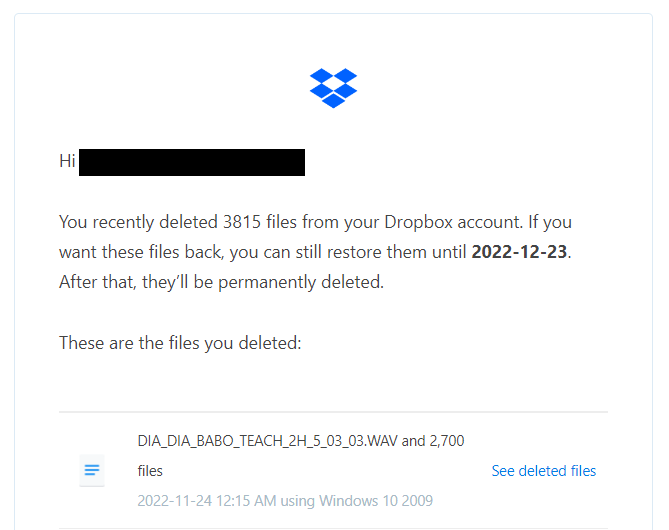
Deleted files are completely random, game files/saves, images, videos, project files. The date matches the time when I was online at my PC.
But there wasn't even a popup asking me if I really want to delete all these files, which normally appears if delete attempt is my own.
I believe it's a bug on Dropbox app side. Why?
- It wasn't an accident because files are too random (there is no pattern and they are in many different folders).
- It's not a hacker because from logs I can see that all devices that accessed my Dropbox are my own.
- It's not my system's fault (aka virus) either, because only files in Dropbox folder are disappearing, others remain intact.
I think Dropbox has limits when it comes to amount of files it can handle (which has been proven in the past) and I'm starting to reach that limit which is causing it to act wonky.
I've managed to restore the files, but now I have to re-download 300 GB to my PC 😞 I've scanned the PC with Avira and Avast just in case, but it didn't find anything major. I am on 2 TB plan, don't remember the name.
One of my machines has Dropbox folder on an external drive, could it be the reason?

