Hello,
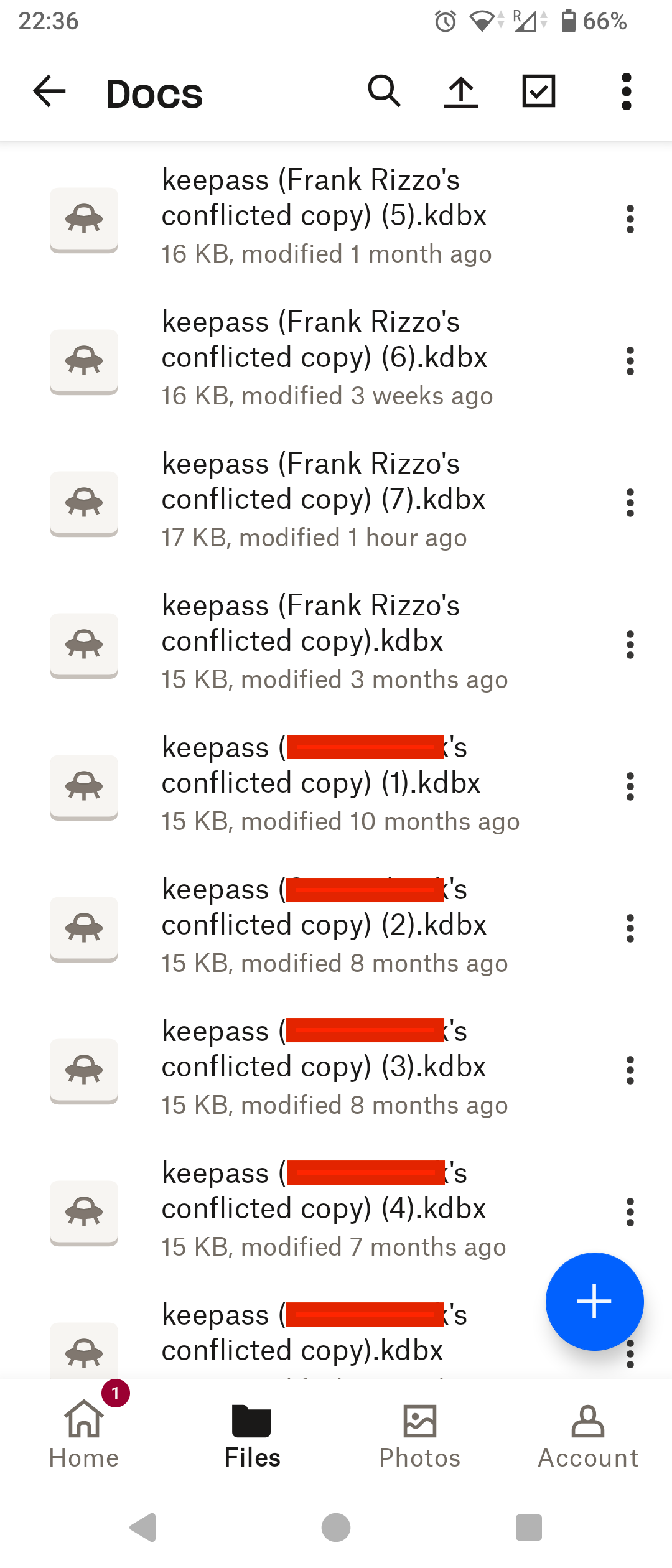
I manage my passwords using the KeyPass app which stores them in a file I keep on DropBox to share between my Android phone and my MacBook. I use KeyPassDroid on my phone and KeyPassXC on my MacBook but I only ever edit the password file on my phone. I access it occasionally from my MacBook. The KeyPass app on my MacBook does not run automatically. Sometimes after saving the file in the KeyPass app on my phone the app cannot re-open it afterwards because it can't find it. When I view the file in the DropBox app it shows several "conflicted copy" versions of it, some shown as belonging to my user name, Frank Rizzo, and some as belonging to my actual name, blurred in the screenshot below. The most recent versions saved from my phone seem to belong to my user name. The versions belonging to my actual name seem much older (several months old).
Both devices linked to my DropBox account are connected with the same credentials so I would expect both to edit the file as my user name so from where is it detecting edits from my actual name? When I edit the KeyPass file on the phone I browse to it through the KeyPass app. I don't browse to it in the DropBox app and open with KeyPass. In KeyPass the file is shown as located in content://com.dropbox.product.android.d... (rest isn't visible).
Often when editing my password file on my phone my MacBook is not even running let alone connected to DropBox so I don't understand where these conflicts are coming from. Could the phone somehow have multiple connections to DropBox which are conflicting with each other?
I appreciate any help you can offer!
Devices
Sony Xperia 5V
MacBook Pro (Retina, 15-inch, Mid 2014)
Operating System/Browser (if using the web)
Android 15
macOS Big Sur 11.7.10 (20G1427)
Dropbox App Version (if using the app)
456.2.2 (Android)
239.4.8301 (MacBook)
Syncing Status
("Up to date", Sync mode "online only")
KeyPassDroid App Version
2.6.9.2
KeyPassXC App Version
2.7.9


