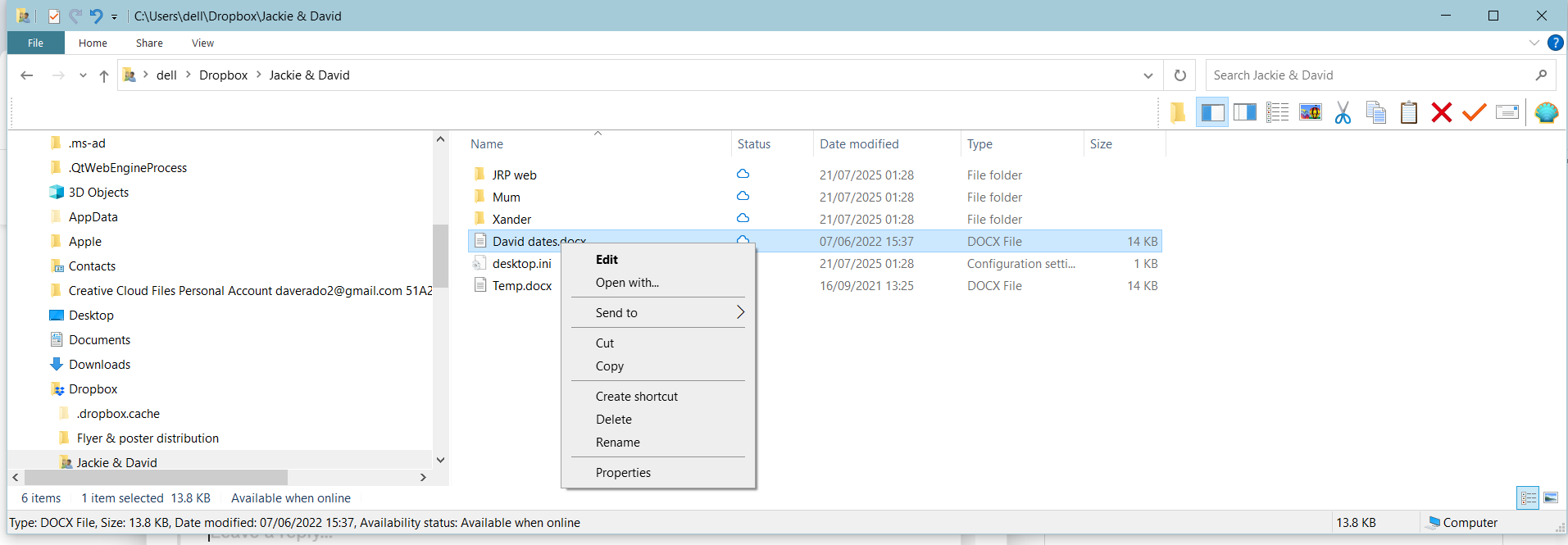
I had to uninstall and reinstall Dropbox for Windows desktop today, and now the Status column of all my files and folders has changed - previously they were all available offline but now they all have a cloud icon, i.e. they are only availably online.
In Preferences all my folders are selected, but the folders still have a cloud icon against them and their contents are still not available offline. And if I right-click on them there is no "make available offline" option.
So how can I get their offline status back?? I do NOT want ANY of my files to be online only - and none of them were before I reinstalled Dropbox desktop for Windows.
Dave