My personal Dropbox is not synced to my work computer, so I access it via the web. When I do, I cannot download files that are password protected. When I click Download, nothing happens. Is this by design?
Hi @TKHammond!
When you try to preview these files, are you being prompted to provide a password?
If so, once you unlock the file, are you able to download it?
Hi there, @TKHammond, welcome to the Dropbox Community and sorry to see you're having this issue.
Does this only happen with password-protected files? Can you download other kinds of files?
Have you tried from a different browser, to see if the behavior persists?
Let me know what you find.
Hello and thank you, Hannah.
Yes, this happens only with password-protected files. My preferred browser is Edge, but I tried it just now in Chrome--same behavior.
Hey @TKHammond!
I was wondering if these are shared files, or files that you created.
Also, is the "Download" button greyed out, or does it look normal? Can you send me a screenshot, please?
Let me know more, and we'll take it from there.
Hi Megan,
None of the files are shared files, and all are files that I created--some in their entirety, like Excel files, others that I've modified, like PDF forms that I've filled in, password-protected, then saved.
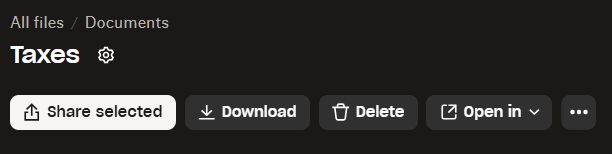
The "Download" button appears to be active in the various places it appears in the interface. Here's one screenshot I took after selecting a password-protected file:
One thing I noticed while preparing to reply to you is that I AM able to download a password-protected TurboTax data file (the "*.tax2024" file type). The files with which I've encountered this download problem are Excel and PDF.
Hey @TKHammond, one more question, please.
Has this always been the case for you, or is this an issue that just surfaced?
That's a good question, Megan. I think I can safely say that it hasn't always been the case. At some point, I'm guessing, within the past couple of years, I recall being surprised and puzzled by this behavior. It took me a while to realize what the files in question had in common: all were password-protected.
It's an issue for me only at work. For security reasons, shortly before Covid I think, my company stripped us of the ability to sync Dropbox to our laptops. Prior to that, it was synced to both my personal and work laptops, during which time I rarely used the web interface. Since the tighter security has been implemented, if I want to access a personal file while at work, I have to login to the website and download it. That's fine, unless the file is password-protected.
I hope this context helps.
Thanks!
Yes, and YES!!
Why didn't I think of that? It means downloading those files one at a time, but at least now I know how to do it.
Thank you very much for your help!
Hey there @TKHammond and welcome welcome to the Dropbox Community. I am glad to see you got your downloading issues resolved thanks to @Megan and @Hannah 's amazing assistance here. I'm Theresa by the way, and you might see me about the Community here. I love to hear how our Community members use Dropbox on the daily. If you're open to sharing, please let me know - I'd really love to hear your Dropbox story 😄T 😺 (Dropbox Community Manager)
Hi Theresa,
I've been using Dropbox for years to store my important personal files. For most of that time, I synced it to both my personal and business laptops. As explained earlier in this thread, my employer no longer allows syncing to my business laptop, so I access my personal files when necessary at work using my browser. Manually moving files during those times is more cumbersome, but at least it's a work-around that's available to me.
Dropbox seamlessly meets my needs on my personal computer. At the moment those needs are pretty straightforward. I know it offers many features I'm not using. Maybe someday I'll explore them.
Though I've been using Dropbox for a while, I'm new to this user forum. Question: When I receive email notifications that someone has responded a comment, can I reply via email? I've been coming back to the forum to do so. Is that necessary?
Thank you, Theresa @Megan and @Hannah for your help with my issue!
Hi from me as well, @TKHammond! Unfortunately, it’s not possible to reply to a Community post directly from your email address at the moment. It’s necessary to do this via the forum directly.
However, I can definitely relay this as feedback to our team, if you'd like.
Not necessary, Nancy.
Just trying to get the lay of the land. Thank you!
Hey @TKHammond, happy Friday!
It's been our pleasure! 😇
If you need anything else, just give us a shout. Have a lovely weekend ahead,enjoy!