Hi,
Myself and multiple users in my organisation have an issue where the Dropbox installed App on our MacBooks 'removes itself.
By this, I mean, Dropbox will still be installed, we can navigate VIA finder, however we are suddenly unable to open the files. When we navigate to Dropbox on the menubar, the icon has been removed, but the space for it is still there, when clicking it, it pulls up the Dropbox pop up as normal.
When we go to share files we are presented with the options that can be seen below.
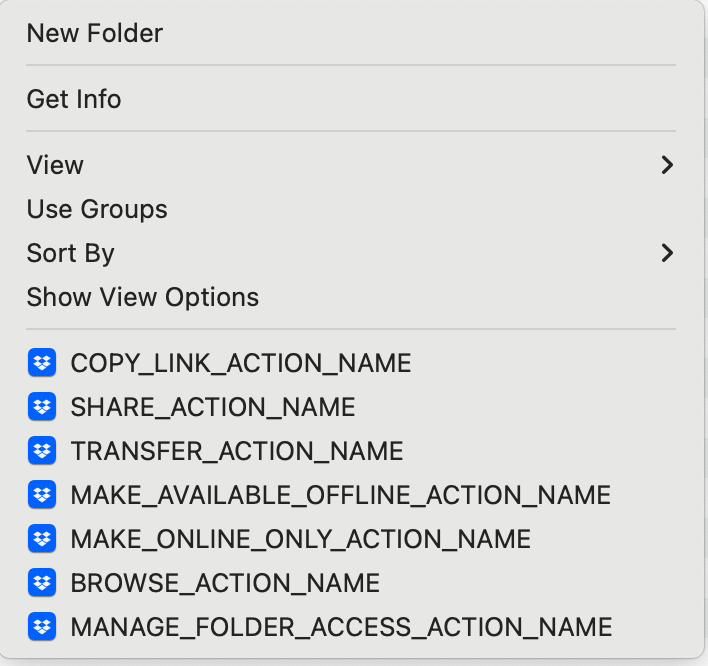
What we have to do is redownload the Dropbox installer and reinstall Dropbox. When the install is done, we dont need to do anything else, no resyncing files etc. It picks up where it left off.. Really weird.
This is happening for people on different versions of MacBooks, different versions of Dropbox etc.
Any advise?








