Hi
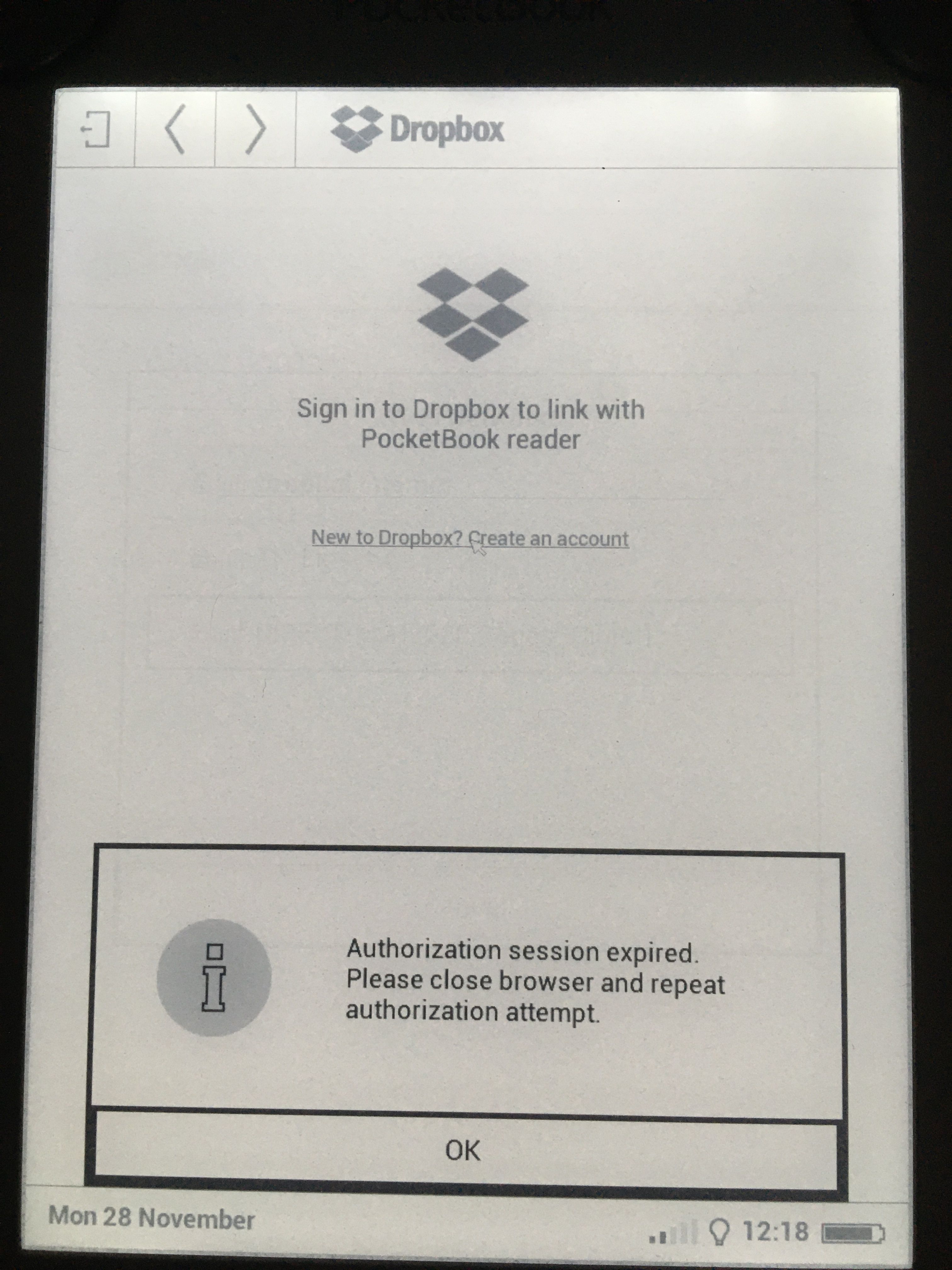
I can't log in to the Dropbox via a Pocketbook. When I open the authorization page, the system does not offer me to enter my username and password. PB641 YTD908000018002000A4 74:ee:2a:d8:4b:19
I just saw this issue on a newly bought PocketBook InkPad Lite. Going to the Settings, installing the latest update and restarting the device (by holding the power button for > 12s) solved the issue of the infinite spinning wheel being shown when attempting to sign in.
Are you using a supported app and the most recent versions of Dropbox and PocketBook software?
How can I figure it out?
Is that via a thirdparty app @dracen658 ? If so you need to ask them for help. To me it looks like the software is out of date and not able to connect but you'd need to verify that with the app developer.
That is via PocketBook device. I am not certain if it counts as thirdparty app or not.
I have the exact same problem with my PB625. I tried resetting to factory settings, but without any luck. dracen658 by any chance you found the solution?
I had a problem logging in when syncing with PocketBook 626.
When I try to log into my account (I enter my login and password correctly) and press enter, the circle next to the login button starts to rotate. So it spins for a very long time and nothing happens. As a result, the message "Authorization timed out. Close the browser and try authorization again" appears. The same thing happens on repeat. Latest firmware version.
How can I solve this problem?
Were there any changes in the algorithms of the dropbox that are not supported by the pocketbook?
Hi @BInEl, thanks for bringing this to our attention.
Does this device support any current version of the supported browsers?
This will help me to assist further!
Hi,I can confirm that PocketBook Basic Lux (PB615W) suffers of the very same issue.I've tried already to factory reset PB to troubleshoot, PB is at the latest firmware available (U615.5.17.999 , Release date: 20171130_151207), I am using Dropbox app available natively.After navigating to Settings -> Accounts and Synchronization -> Dropbox -> Login -> app goes through 'Authorizing in Dropbox' screen -> after that it displays below screen, with no possibility to enter username or password to continue.After clicking 'New to Dropbox? Create an account' and waiting for a while it will throw below error:Tried different Wi-Fi connections as well however outcome is always the same.Ideally if new firmware could be arranged with PocketBook vendor after fix implemented ? Alternatively to provide us with dropbox.app and to replace it via USB connection or any other suggestion ?Any help appreciated, thank for your efforts on this.Cheers---
Hey @lczopka, thanks for the nudge here.
Have you tried reaching out to Pocketbook's support for assistance?
I believe they should be able to provide more info on this.
I contacted Pocketbook in January, they said the problem is connected to changes made by Dropbox in authorization algorithm and that for (my) PocketBook 625 there will be no software updates (since it is an old model, discontinued for 3 years). They recomended using other methods of syncing the data...
The PocketBook 626 has a Linux 3.0.8 operating system kernel and its own browser.
Previously, everything worked correctly, the problems started recently. perhaps due to a change in the authorization algorithms at the dropbox itself.is it possible to add backwards compatibility so full devices can work with dropbox?
@BInEl wrote: The PocketBook 626 has a Linux 3.0.8 operating system kernel and its own browser.
You should contact PocketBook, but as I understand it, the older models are no longer compatible with Dropbox and PocketBook has no plans to update them (see previous reply above).
In general, we recommend that all devices that attempt to connect to Dropbox follow the minimum requirements in order to connect.
If these requirements aren't met, then you may experience issues in using the Dropbox app and site.
Hey @Adriann4, could you clarify if your device meets the requirements as outlined in this page?
Same issue on the Pocketbook Verse Pro (which was released in 2023), very annoying. My pocketbook uses Linux 3.10.65. Can someone help to find a fix please? Thanks for the support
Hey @customer - have you ensured that your device meets the minimum requirements per this page?
In that case, you can try another browser or even reaching out to Pocketbook's support for further assistance @customer
Let us know of any updates!