I reinstalled the dropbox app yesterday as recommended to fix ongoing indexing and synch issues.
I used the Manage Hard Drive Space option to mark folders as online only. This screen says "This saves hard drive space. Files will still appear on your computer but need internet to open" - so I felt quite safe doing this. Previously I'd used the method of right clicking on each file or folder and marking as online only and been able to see each folder and file with a symbol to indicate online only.
This morning there is just one file name place holder left on my hard drive and also no folders. I can individally download files from dropbox.com but I'm at a complete loss how I would add any files to my existing folders.
What can I do please to be able to see the files in the dropbox folder on my hard drive? Any help appreciated thank you.
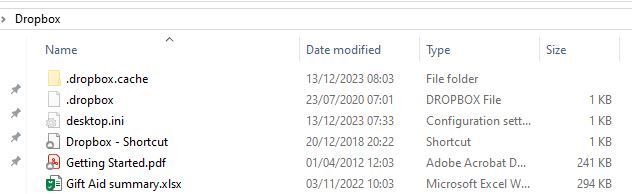
Edited to add that I have a Dropbox Plus account and use a PC with windows 10


