Hello. A similar thread started in 2021 was a dead end and has degenerated into other discussions so I thought I'd start over with this topic.
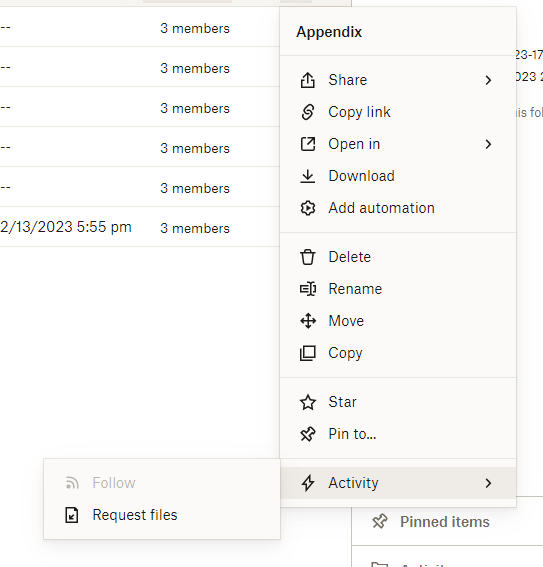
My boss asked me to figure out why the "Follow" option was grayed out on his shared folders (viewed from the ... menu in the online view), while in my account, I was able to choose Follow and set up email notifications with no problem. I thought that was weird because even though he's not the account admin, the boss should have, if anything, more capabilities than the office peon.
A comment in the previous discussion indicated he may not have all his preferences set correctly. In the desktop app, I located the preferences, & took a screenshot of what mine looked like (all of the notifications checked). Before emailing the pic to him, though, I unchecked all the preferences to test that I was sending him the right solution. I hit apply, then OK. Voila, no more Follow option in the online version. Excellent... I have found the source of the issue, right!?! But not so fast. I put the preferences back the way they were... apply... ok... NO FOLLOW OPTION. It remained greyed out. Restarted without success. I do not want to try uninstalling and reinstalling as I own lots of important folders and am scared of what might happen. And I should not have to do that, it's just a preference! Right? Any ideas out there for getting my Follow back?
I'm using Chrome, if it matters.








