Hi gang,
So I've gotten myself into a mess - and hoping you can tell me if this process is going to create any big headaches or problems for me?
What's the situation?
I have a Dropbox folder on both my C: drive and on my D drive. The C: drive is syncing. The Ddrive is not. This came about when support told me to uninstall and reinstall the Dropbox app.
Dropbox support told me I can use the Move functionality to move the C: drive folder to  . But they won't answer my specific questions about conflicts. I'm worried about conflict problems (or getting duplicates on ).
Here are the move instructions in case anyone else is looking:
https://help.dropbox.com/installs/move-dropbox-folder
My question?
So how do I clean all this up:
- Get the new files that have been created recently - off the C: drive and into the D drive?
- Turn off the C: drive syncing
- Make sure everything is syncing to D
- Not lose any files in this process (especially the ones on D that didn't sync)
- Make sure the files are not downloading to D - just when I access/need them.
When I try to Move from C: to ...
Dropbox says it's going to create a NEW folder - but I already have one there!
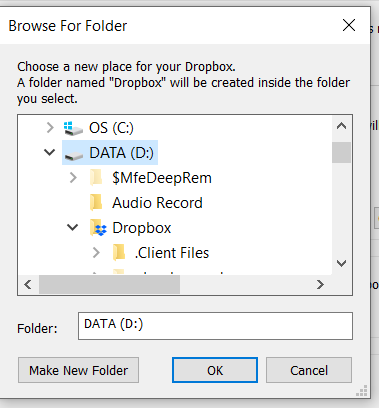
Any advice / warnings / suggestions? Do you think this will work?
This is really frustrating because I am so fanatical about keeping my files where I can find them!
Thanks for your help! Julie

