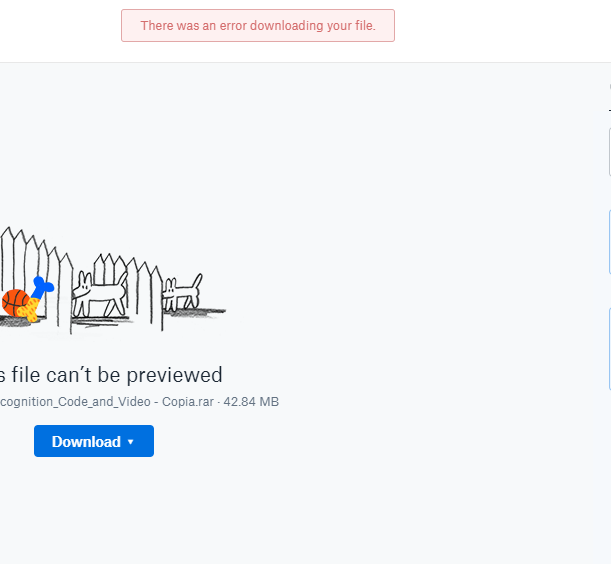
Hey there. Never experienced this issue before, but can't seem to download individual files within folders and get that error message. Can download the folder containing the files though.
Hey Jane! Thanks for your quick response!
The issue unfortunately persists in Chrome (original browser), Safari, and Firefox. I also cleared my cached/cookies and tried using an incognito window in Chrome and no luck.
Syncing the my Dropbox to my Mac is not an option, as my Dropbox has multiple TBs of files and my Mac has about 125 GB of total storage space.
Can't download files anymore. My permissions haven't changed, I logged out and back in, and reset my computer. send help
I'm trying to download this folder but i get this message i tried downloading it from firefox , chrome , opera but it's the same result : firefox doesn't even give me the error message
https://www.dropbox.com/s/2lny2z7ydxydgo6/HandGestureRecognition_Code_and_Video%20-%20Copia.rar?dl=0
here is the link
What a terrible customer service... just questions again and again and no solution... I am sure there are a great number of people who have this exactly same problem around the world using Dropbox (This question is everywhere and there's no clear solution anywhere). And the problem still keeps existing. You really should make a standard manual for dealing with this.
I appreciate your feedback (@TRabb); have a grand rest of your day! :slight_smile:
i am having the same error. have you found a solution?
Like the OP, I'm having persistent issues downloading a file. I can download the folder it's in, but not any of the files within that folder. Or in any folder. I've cleared the cache. No dice. Please help!
Hey there @incoherent,
Can you let me know a bit more info about the issue that you're having? For example, are you receiving the same error message when trying to download the file?
Also, can you let me know if you also tried using a different web browser as well as an incognito/private window?
Finally, can you just ensure that you don't have any pending browser updates as Dropbox works best on the 2 most recent versions of most modern browsers.
Let me know what you find and we'll go from there!
Hi Daphne, yes, I'm getting the exact same issue as the OP. All my browsers are updated: Chrome, Firefox, Edge. I even tried on Safari, same issue.
Hey @incoherent, thanks for your update!
Can you just let me know if you also tried using an incognito window on any of the browsers you mentioned? This will exclude the possibility of browser extensions affecting the downloads.
Let me know - thanks!
Hi Daphne, yes I used an incognito window and have the same issue.
Thanks for confirming that @incoherent!
To look into this more in depth, I've reached out to your email address associated with your Community profile. Please just check your inbox when you have a moment and we can go from there if you'd like to,
Thanks!
I have the same problem and i try everything but there are no response
Thanks for joining the discussion @nmedia!
Just to cover all the troubleshooting and make sure we're on the same page, I'll need to ask you for a bit more info.
Can you let me know if you see any difference when you try the following:
Also, Dropbox works best on the 2 most recent versions of most modern browsers, so please check if there is any pending updates for your browser.
Finally, if you're getting an error message when trying to download your files, please send a screenshot of this to me here.
Let me know what you find and we'll go from there - thanks!
same problem i have i would be crazy
I'm having the same issue in chrome, inogito and not, recently cleared cache - however, does work if FF?
Hey peeps, thanks for joining the discussion here!
Just to clarify with you @bassplr19xx you're having this issue with Chrome, and in FF (Firefox) you can download your files without an error?
If so, can you please check if Chrome has any pending updates? Which version do you have installed?
As a first step @esraamohamed, to rule out most browser related issues please try the following:
Let me know what you both find!