Hi all,
Join here today and my first question, since this is my first encountered problem after using dropbox so many years.
I fresh install macOS Sierra from recovery mode, new formated ssd, to my MacBook Air (mid 2011), and then upgrade to macOS high Sierra (10.13) immediately.
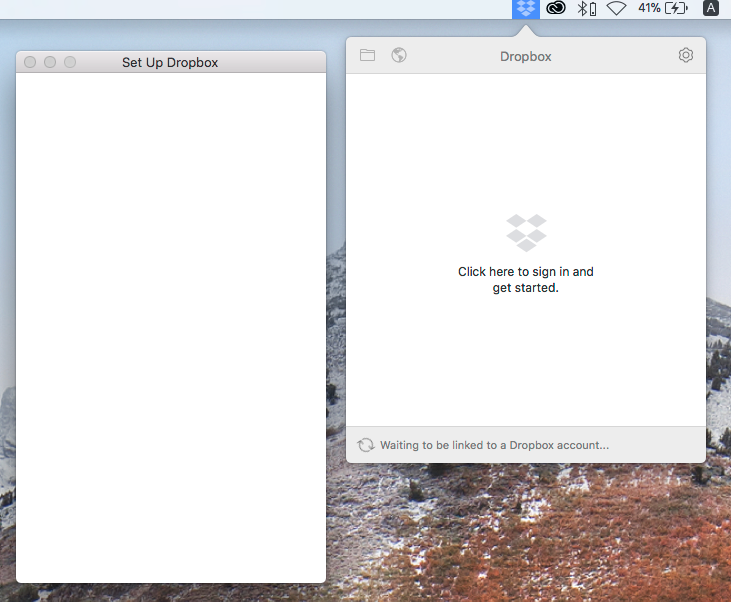
Then I download dropbox desktop app from dropbox.com and successfully installed, while the first running of the application, it pop up a blank "Set Up Dropbox" window, I cannot type anything to login as usual. So I cannot login my dropbox account nor sync file.
Captured screen below:
I've try restart, re-install dropbox app, and restart my mac, nothing change.
Any idea how to solve this problem?


