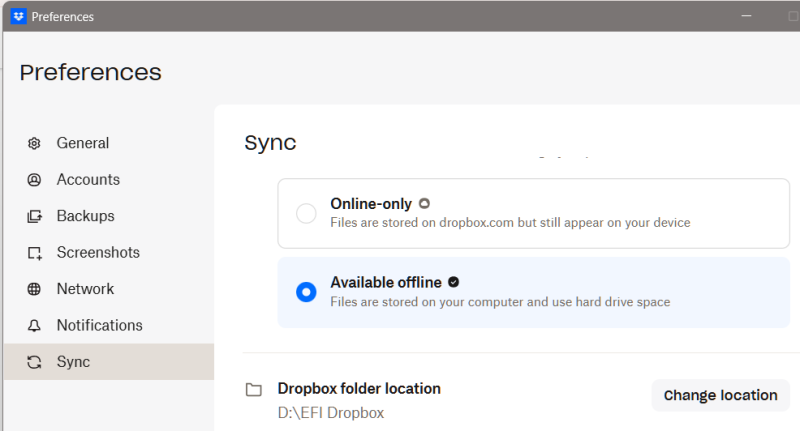
I set the "Dropbox folder location" to be on D:\ whereas my windows operating system is on the C drive and my \Documents\ are within my user folder on C.
And yet Windows 11 reports that it blocked Dropbox from accessing my Documents folder because it is a protected folder. Why would Dropbox.exe attempt to access that? I expect that Dropbox should only try to access its own synced/shared folder, or the relevant AppData or Program Files folder where the app files are stored.
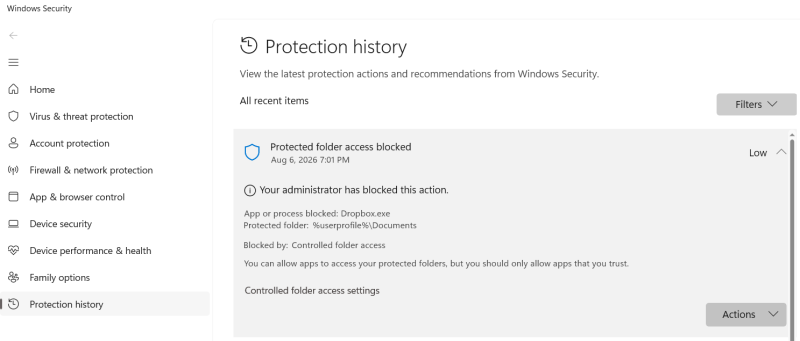
Looking through the windows history of attempted protected folder access, I see other entries for Dropbox.exe from a few months ago including two attempts three months ago that blocked Dropbox.exe from accessing %userprofile%\Favorites

