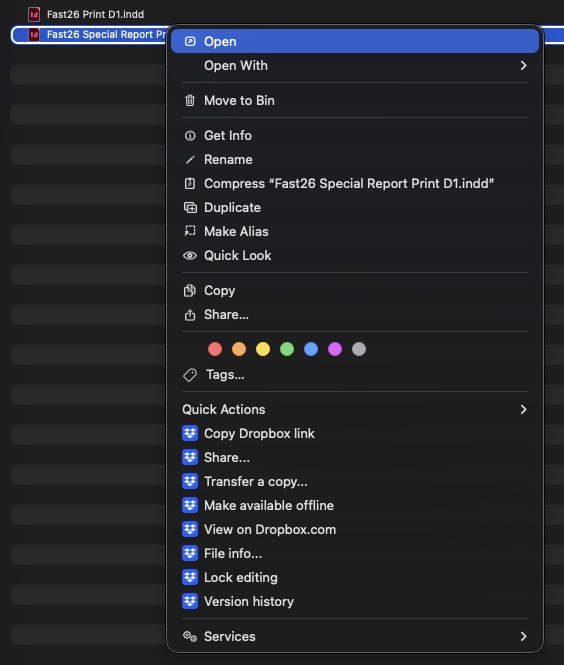
Files that aren't synced to my computer, if I right click on it, gives me the 'version history' option. Files that are synced don't give that option.
on Mac
Thanks for reaching out to the Dropbox Community, @pukohq!
Let's see what we can find out about this.
First of all, which macOS version are you using and what is the Dropbox app's sync status and version?
You can see the latter by hovering over the Dropbox icon in your menu bar.
If you switch a file from available offline to online-only, do you see the "version history" option? And what happens if you then switch it back to available offline?
Let me know what you find and we'll go from there.
Dropbox 254.3.2480 Tahoe 26.5 I've probably had this issue for a year or two now, and on all my machines.
Thanks for that info, @pukohq!
How about switching the files from available offline to online-only and back? Does that make any difference?
Have you also tried restarting your computer or the Dropbox app itself?
Hey there, @pukohq!
I'm just circling back to see if you saw our last reply. If you still need any help feel free to reply back to this thread. If your issue has been solved, let us know what worked for you!