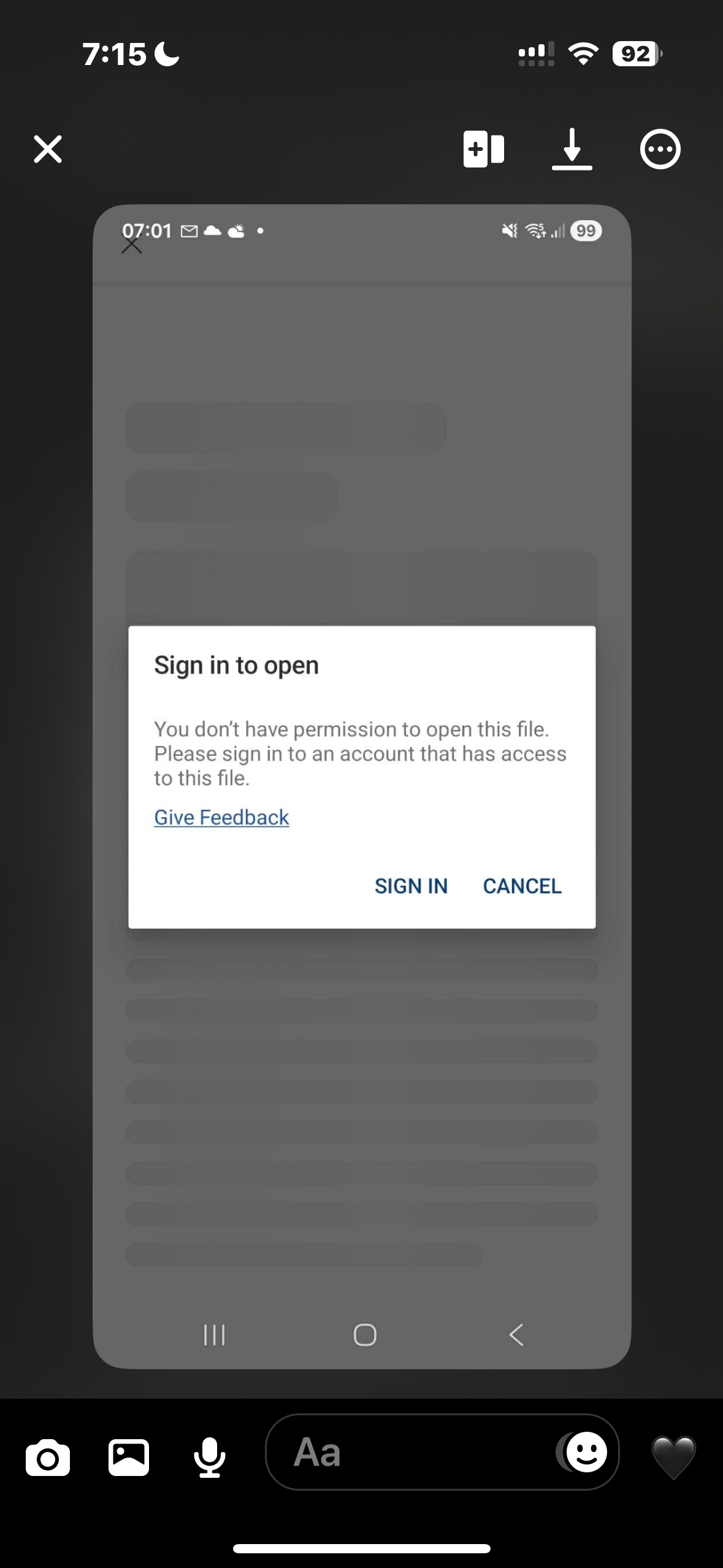
My friend has access to the folder and documents, but since she changed her phone she’s unable to access/edit the documents. She has edit permissions but gets a sign in issue.
Thanks for the additional info, @katiekckc, I hope I can jump in here as well.
Has your friend tried uninstalling the Dropbox app and then reinstalling it, to see if it helps?
If they're using a free account, though, they need to be careful if they're using more than 3 connected devices.
Now, if the same happens after the uninstall/reinstall, can you ask them to tap on that "sign in" option and let us know what they see?
Hey @katiekckc - thanks for letting us know about this.
Can you please clarify the exact steps your friend is taking to edit the files in your shared folder?
Also, what is the exact OS version of the device they're using and the version of the Dropbox mobile app installed there?
Do they get the same error if they try to do it via the website instead by the way?
Let us know more and we'll take it from there.
Thank you. It is all done via their mobile as they don't have access to a laptop. They open the Dropbox app and click on the folder pick and click what file they want to open and edit. They click on that and normally it would open that file in windows but it keeps asking her to sign in and says she doesn't have permission to open this file . She can only access the website of Dropbox via her mobile and because its the free version we are using when she tries to open via the website, pop ups for free trial just appear and she can't actually get to any files.
App version 464.2.2
The phone is a Samsung s25fe - I am waiting to find out what OS version - it's a 'new' phone as it's only since she got the new phone, she has struggled with access to the files
It is Android 16
Thank you so much for this - this seems to have resolved the issue!! :-)
I'm really happy to hear that, Katie!
If you come across any other issues, don't hesitate to let us know.
Have a great day!