I'd first like to say in advance, thank you to anyone who posts here and is willing to lend a hand.
2nd I'd like to make it clear automation has never worked for me. All the other messages I've seen here regarding automation have to do with the fact it has stopped working, or it partially works. It's never worked at all for me.
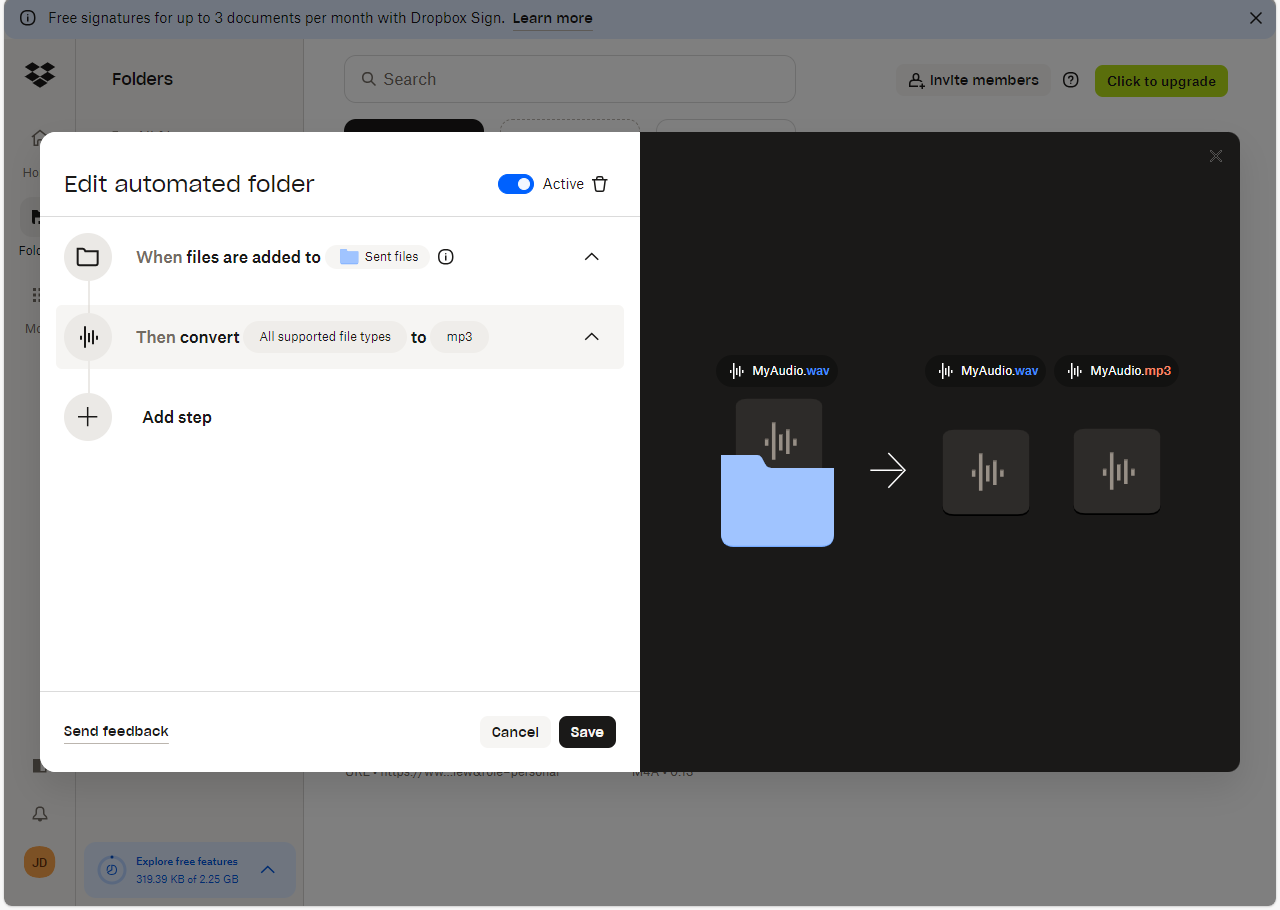
All I'm trying to do is simple audio file conversion. I want everything converted to Mp3. I have the automation set, and when files are added, nothing happens. I've tried dragging files straight to desktop page, I've tried moving files in from the smart phone app, I've tried different browsers, same result. No, I haven't tried clearing browser cache, because never once in my life has that ever worked when it was suggested as a potential fix, so I don't bother with it. I've tried creating the same automation in different folders, I've tried creating a new folder with the automation enabled from the get-go. Nothing works. Just for experiments sake, I also tried to setup a different kind of automation to rename the files, to see what would happen. That doesn't work either. I am willing to clear browser cache if someone REALLY thinks that's the solution here.
The only way I'm able to convert the files is manually. I'll right click the file and select "save as" -- "Mp3". Then it will convert immediately.
Below is a screen shot of the automation I've created.
Again, thank you to anyone who offers some assistance.



