Hi, everyone. Thanks in advance for your help, wisdom, and support.
I have a problem several others have experienced, but none of the solutions I found here seem to be working. Simply put, I have around 300 GB in my Dropbox folder and have everything set to be online only (or so I assume?) Mac finder is still showing this 300 GB as being used, and it is affecting other uses that require a lot of space (video editing, audio sample packages, etc.) I do need that space back. "Space Lens" in CleanMyMac shows the proper amount of space used ( a bit under 500 GB of my 1TB built-in drive on my MacBook Pro M1.
Here are the specs: Macbook Pro M1; 16GB RAM; 1Tb drive
OS: Sonoma 14.5
Dropbox Desktop Version: 204.4.5420
I have searched the Dropbox folder for the ".dropbox.cache" file, but it does not exist. Here is a screenshot of the only files that appear after invoking "shift-command-.":

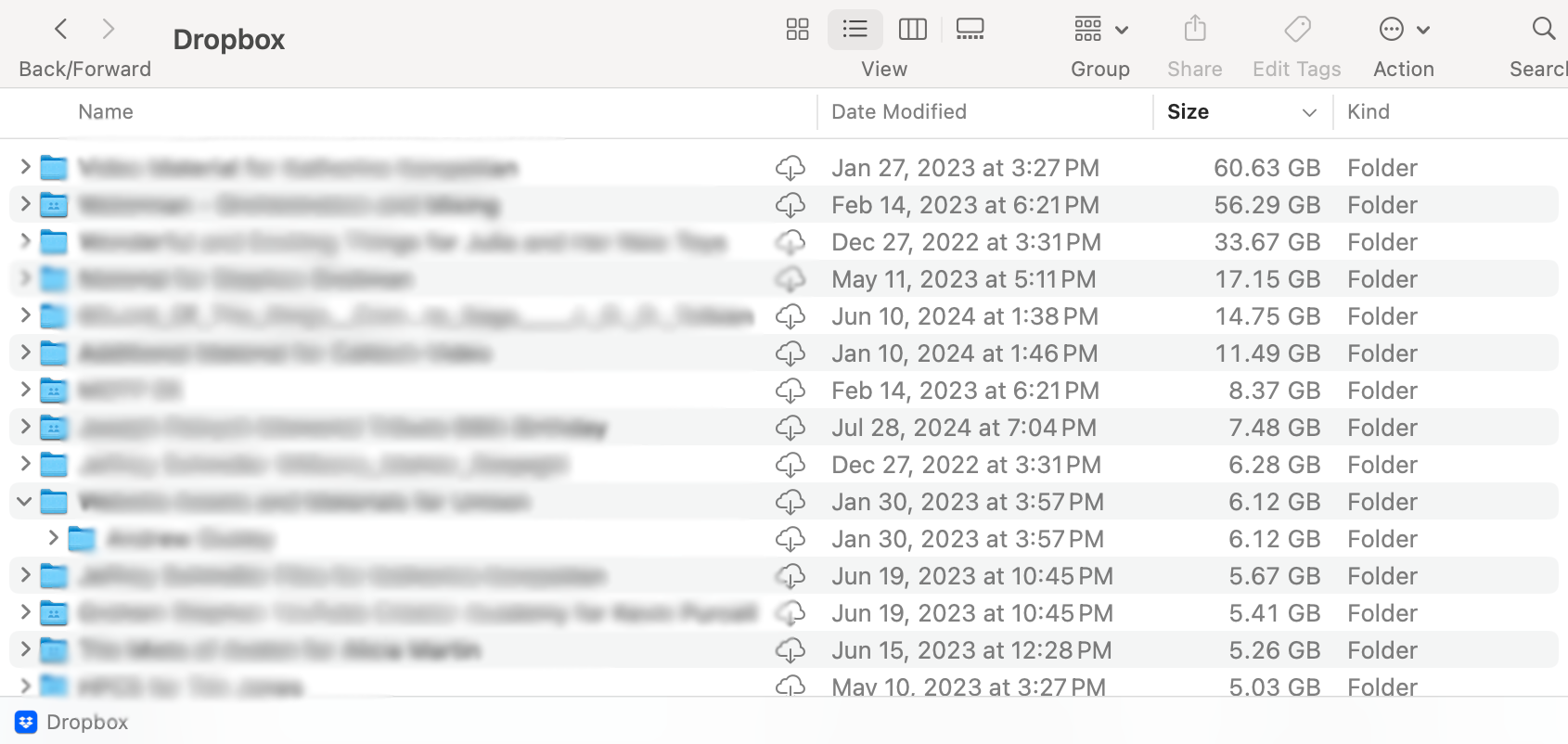
Here is a screenshot (blurred for privacy concerns) of what the folder's directory looks like. Unless I'm mistaken, shouldn't all of these files be online only?:
The Dropbox directory resides in the "Cloudstorage" in the Library, which is precisely where I believe it should be.
Any help or insight the community can offer would be tremendously appreciated. Many thanks in advance!
JS










