Hello,
I am looking to resolve an issue I'm just experiencing now for the first time.
When I do a command + i to see the size of a dropbox folder on my finder, the finder now just show me the size that the folder take locally. Before I could see the size of the full folder + the local size.
For example, I have a folder of 20 go with 5 go of it accessible offline :
Before the finder was saying "20 go (5 go on the local disk)"
Now the finder show me "5 go (5 go on the local disk)"
Here is a screencaps that illustrate the issue :
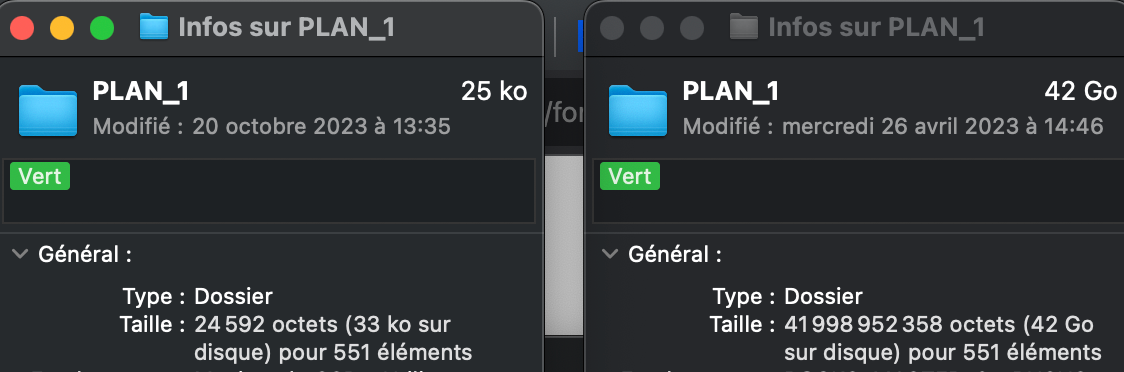
To the left I have the folder "PLAN 1" in the dropbox via finder, it indicates 25 ko for 551 elements
To the right I have the exact same folder on my back-up hard drive, it indicates 42 go for 551 elements (the real size of the folder).
So my question is, how this feature suddenly disapperead and how can I make it come back ? It is an essential part of my business to be able to check precisely the amount of data I have !
For info, I'm running Ventura 13.6. One of my attempted was to update de MacOS because the problem started when I was on Monterey.
Thanks a lot ! 🙂






