I have had a Dropbox account for a while, and there are some files that I only store online and not locally to any of my devices.
I have one folder in particular named "Dropbox / _do not synch locally / E / Jon-Imaging / raw / Checked" which holds quite a few folders (292) where I have organized my photos. These typically have names like "2004-05-05_Enoshima", using the approximate date taken and the location.
However, when accessing Dropbox through your website (using Windows 10, Chrome browser) the "navigation pane" on the left does not show all the sub folders in the "Checked", but they do show up on the right (see image 1.jpg). Then, if I scroll down on the right to a sub folder that was below the cutoff and select it, that sub folder (only) now shows up in the "navigation pane" to the left... not all the sub folders show up, but just the ones shown before and the additional one I selected on the right. (see 2.png).
Any ideas why this is happening?
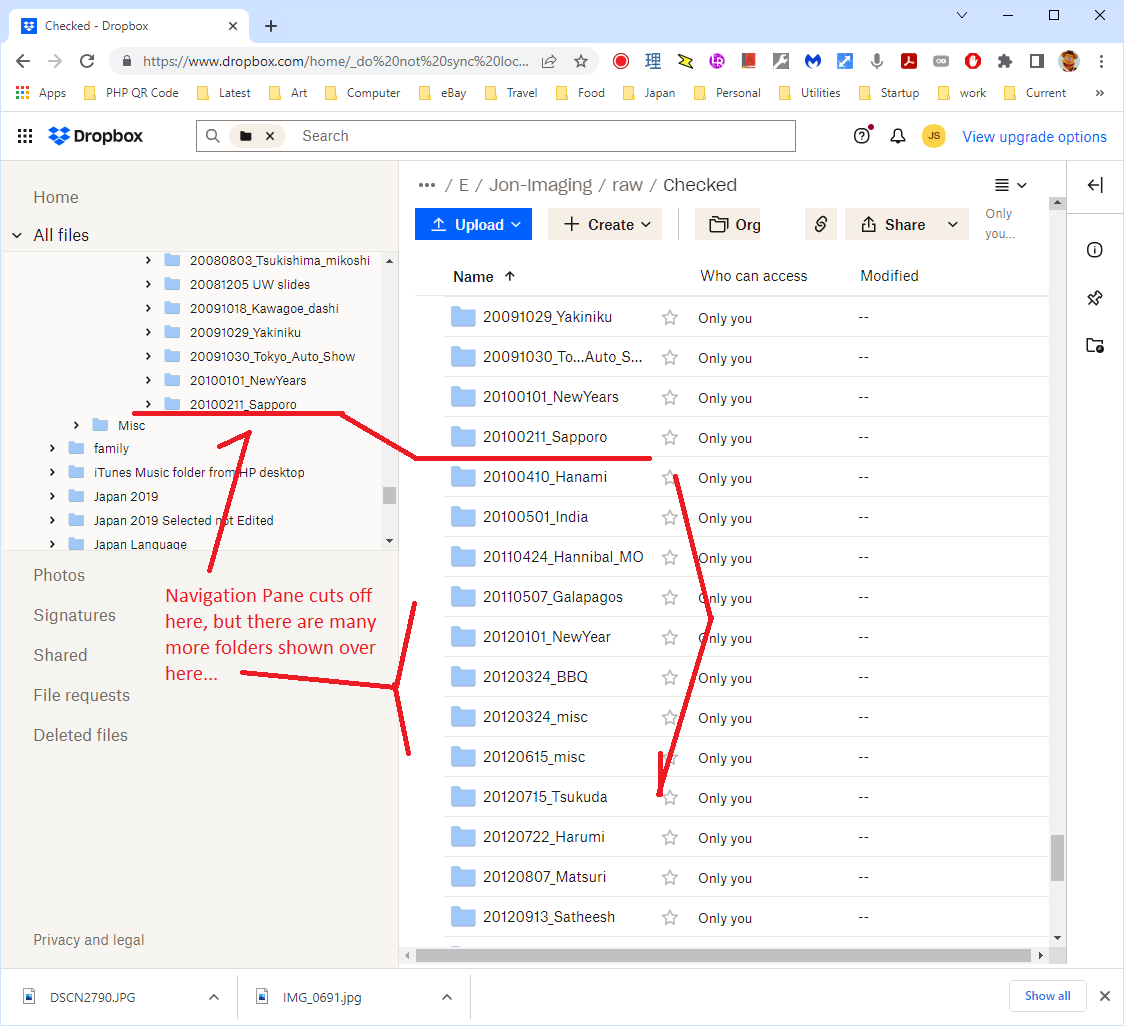 1.PNG
1.PNG 2.PNG
2.PNG




