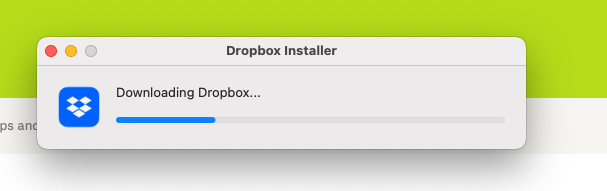
I'm trying to download dropbox onto my new M2 Mac Studio with latest Ventura. It's connected to WiFi and I'm on a 500Gbps internet connection. Every other program, app, file downloads very fast due to my fast internet. However Dropbox is taking forever to download. I got the initial Dropboxinstaller.dmg file quickly, once it dmg gets mounted I double clicked the install and it opens the downloader and it has been going for about 3 hours. Notice the progress bar in the screenshot attached.
I've tried clearing the cache in my browser, restarting the computer, cycled my modem and router. Nothing fixes the issue. I also tried to download the offline installer from a link here: https://www.dropboxforum.com/t5/Dropbox-desktop-client-builds/Stable-Build-167-4-4719/td-p/657572
That at first seems fast, but then slows down to a crawl it's currently saying it should be done in a few hours but the time keeps getting longer the more it downloads.
BTW I've read other threads about this same issue so clearly you have some problem that is only affecting a few of us. I'd really like to fix the problem and starting using what I'm paying quite a bit for.

