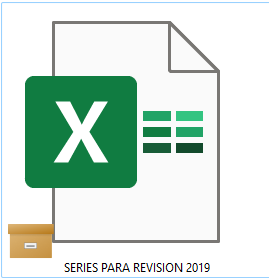
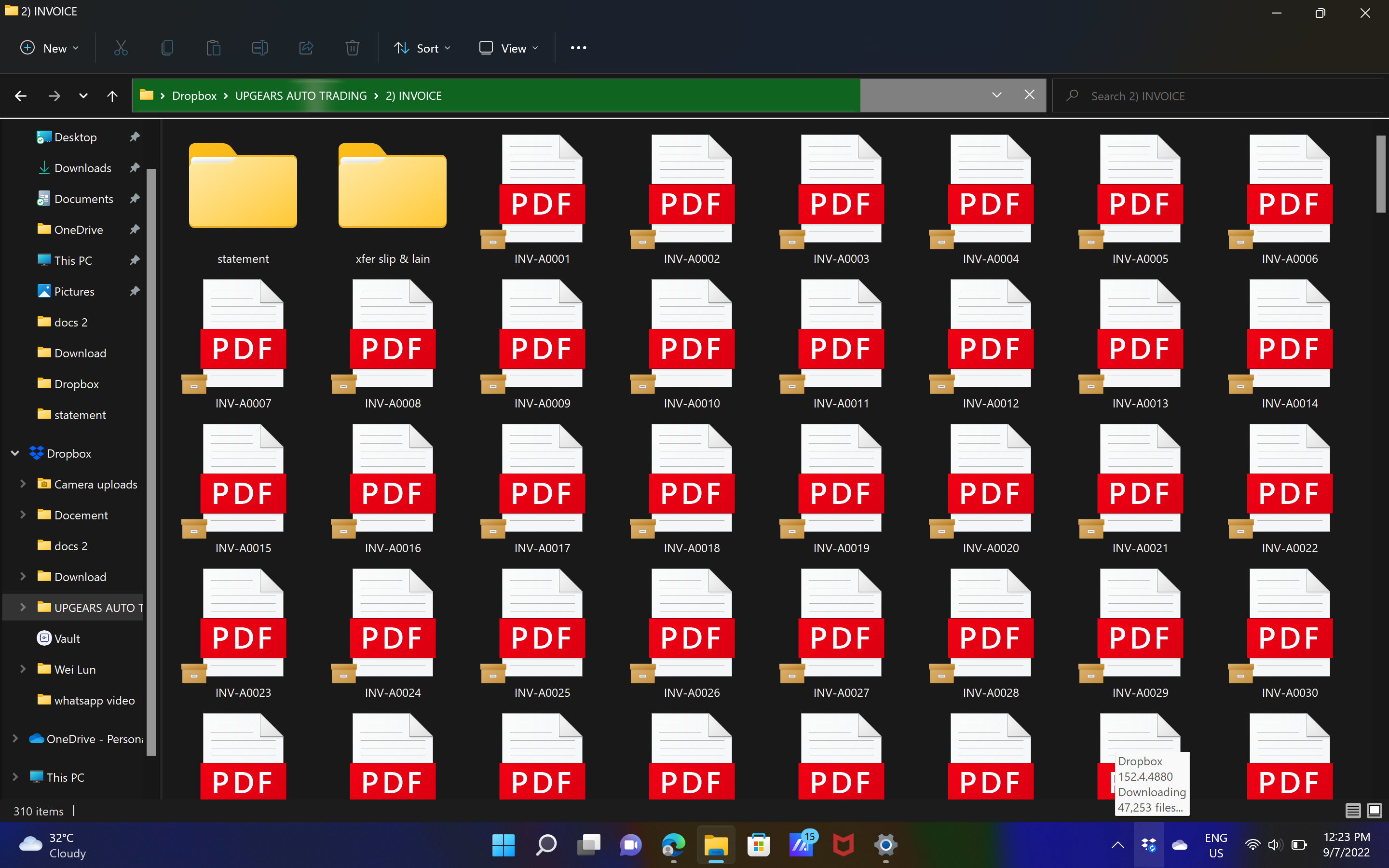
What does this orange box icon means? I'm on desktop, windows 11.
@rdb0122 wrote: So this isn't just an Excel issue, ... Dropbox needs to look into this though ...
So this isn't just an Excel issue, ... Dropbox needs to look into this though ...
It's not a Dropbox icon. It's from OneDrive. You likely have OneDrive and Dropbox trying to sync the same data, which will never work correctly.
So this isn't just an Excel issue, I'm a video editor who works on a Windows desktop and I seem to be getting this icon on a lot of my media and I don't know why. Dropbox needs to look into this though, it seems to be unsyncing random assets from my projects when I haven't told it to. The assets I had sync previously get this folder icon and then seem to unlink and go back to online only. Please advice on this, it is getting very frustrating.
Hello Community Members, Can you please tell me what this dropbox icon means?
Hey @DG111, thanks for joining our Community and happy Friday!
I just wanted to mention that I merged your post under this thread as I believe you'll find the information share here very helpful.
Let me know if you have any follow up questions!
Hi Walter,
Thank you for that, but unfortunately none of the suggestions have made a difference. It is not a OneDrive icon so am not sure where to go from here 😞
EDIT: Actually it is a OneDrive icon. See my reply further down.
Hey @DG111, sorry to jump in here.
I did a little bit of research and from what I could find, this icon is related to some file attributes on Windows 11.
Can you please clarify if you’re able to open these files, or if they give any kind of error when trying to do so?
Problem Solved 👏
Hi Nancy, I finally worked it out. It is definitely a Onedrive icon. Disabling Onedrive was not enough to get rid of the icon on the files. I had to actually uninstall it and do a restart. The icon on my files is now gone.
Just a note to anyone that is doing this to be aware that this will remove your Onedrive files from your computer but it is still available in the cloud. Maybe copy the files first just to be safe.
Thank you for trying to assist me with this 😀
I’m really glad to hear you were able to sort this out!
If you need something else, we’re here for you.
Have a great rest of your week!
I get these brown file boxe icons on my dropbox files that prevents me from opening my files. Does anyone know what causes this? I use Windows 11 Version 10.0.22000. Would greatly appreciate help.
@MichLou wrote: I get these brown file boxe icons on my dropbox files that prevents me from opening my files.
I get these brown file boxe icons on my dropbox files that prevents me from opening my files.
Those icons are not from Dropbox; they're from OneDrive. Refer to the following thread:
How do I get rid of this icon. I understand it's a One Drive icon. How do I know what files are in the one drive cloud and which are on my computer? And how do I download them all to my computer before disabling one drive?
Should I disable one drive? Can I run dropbox and one drive on the same computer?
thanks.
@rosempryor wrote: Can I run dropbox and one drive on the same computer?
Can I run dropbox and one drive on the same computer?
Yes, you can run both OneDrive and Dropbox on the same computer. You just can't have them both syncing the same files. Both Dropbox and OneDrive have the ability to sync or backup your key folders such as Desktop, Documents, etc. If you activate that feature in both, you'll likely have issues as the two programs try to sync the same files.
As for your other questions, that's not really anything that we can answer here. You'll be better off asking on Microsoft's support forum.
beside my file also show a symbol. what does that mean?
Hi @wloh, I've merged you to this thread for users with similar questions. Could you check to see if you have Onedrive installed and running on your machine?
If you need any further assistance, please let me know!
I have an issue with dropbox, all my files CANNOT be opened, its giving ERROR in opening! keeps giving me same message for all the files, all files be word, pdf or excel. I had One Drive which after reading the thread, uninstalled and restarted the computer YET the problem persists.
Can Dropbox support HELP! or someone from the community assist how to solve the problem. I have tons of data that cannot be accessed despite all permutations.
Hi @AKM1
I'm afraid the issue isnt with Dropbox so we cannot help here - the issue is with OneDrive.
My guess is that the files were marked to online only in OneDrive and so not actually on your local machine. You need to either download from OneDrive's website, or, reinstall and download them that way first.
FYI uninstalling and deleting One Drive completely does not prevent this icon from continuing to show up. It still puts itself on files i've recently accessed, especially image files (jpg, png, etc...). It doesn't affect the file from being opened, but I do have a ton of issues with image thumbnails not showing up, especially in the camera uploads folder.
I'm on Windows 11. It makes me think WIndows 11 still grabs your files somehow, regardless of location and syncs them with one drive, even after One Drive completely deleted. Sketchy stuff.
Hi
How do i delete one drive to test this out? I have not made any changed to my computer that i am aware of, and today i now have all these box symbols on my dropbox files and con not open them.
Thanks
Hey @Frank m, how are you today?
I just wanted to mention that I found this article which I believe will help with what you had in mind.
Let us know if you have any other questions.
Hi, I am having this issue on my computer but do not believe i have one drive installed or active on my computer. Also it seems only some of my files cannot be accessed. Any thoughts would be appreciated.
Hey @kittzuk, sorry to hear you're having issues with this.
Can you please send us a screenshot of the issue, so that we can have a visual as well?
Any additional information is more than welcome!
Hi there, thanks for your quick response.
The below screen shot shows two documents, one with the archive icon on top and one without but both within the same folder structure.
I am unable to open the file "CZ Offer Letter." Literally, nothing happens when I double click on it or right click and select open. This is happening across file types (i.e. not just pdf, but also xls and word that I've noticed).
I am able to open these files through drop box on the web.
I actually figured it out. Looks like it was an issue with Malwarebytes somehow. Once I went into Malwarebytes and added Dropbox as a safe application, the issue resolved itself.
Thanks for your updates @kittzuk - I'm glad to hear it's sorted now.
See you around and take care!
Thank you, however, I don't have OneDrive installed and I'm still getting this issue. Can you advise further?
I've just had the same issue, I don't have onedrive installed. It turns out that I just needed to start the Dropbox App on my windows PC and it all worked.
I find the solution, but i don't know why this icon was
select a doc clik left on your mouse and choice "keep the doc offline" and all these icons deasaperd
How to remove it. I'm told it is a onedrive issue
Hey @MAK1954, did you try the steps outlined in this article?