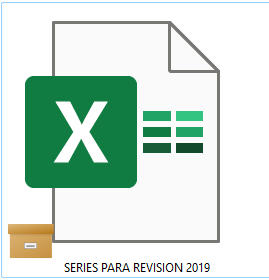
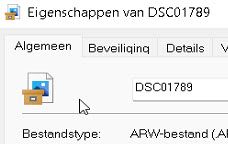
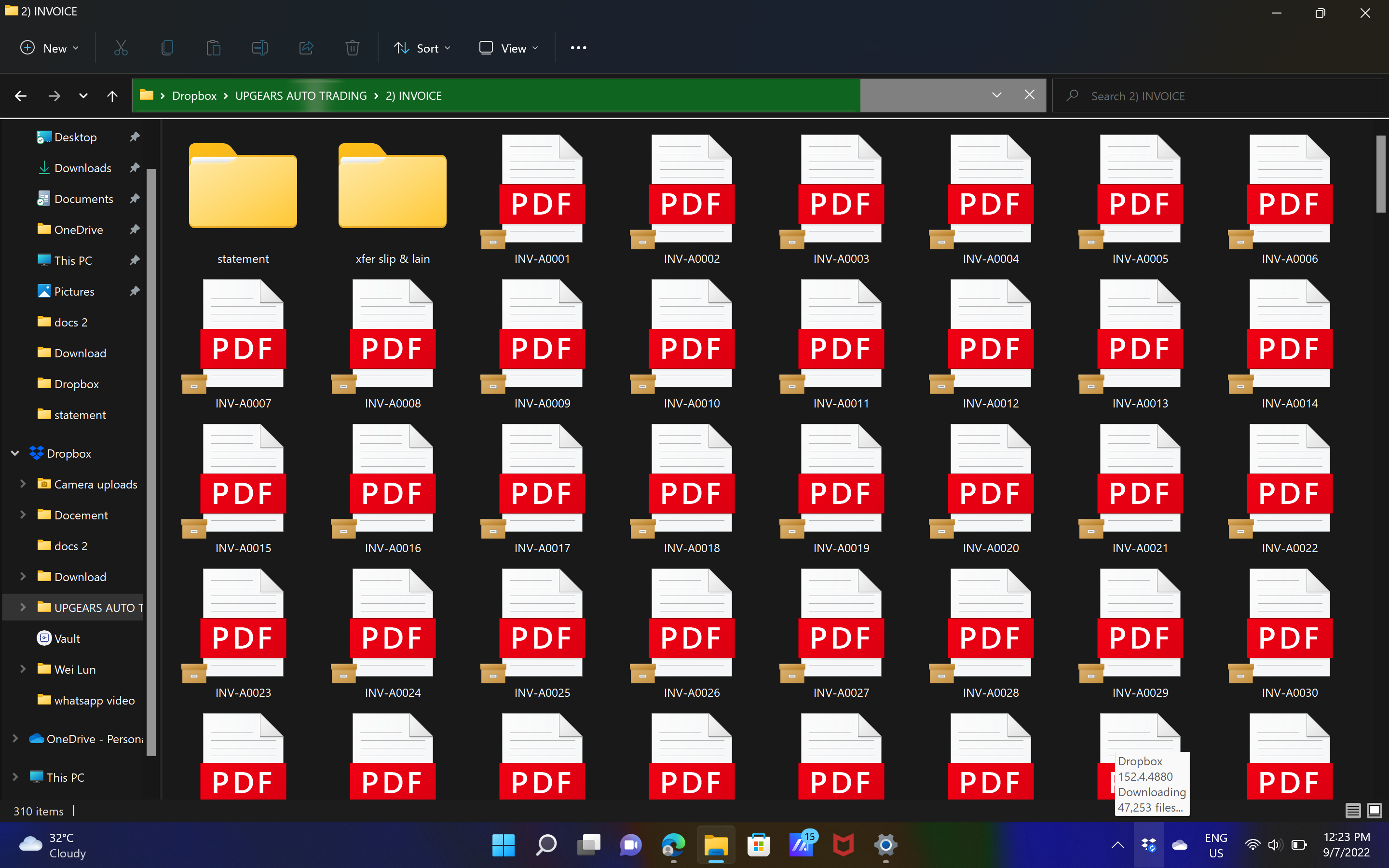
Does anyone know what these brown file box overlays are in Dropbox are supposed to mean? I can't find any official documentation about these icons. I only started seeing these recently, and now they are appearing more frequently.
Hey @V3 Admin, thanks for reaching out to us.
The brown box icons that you see on your files aren't from the Dropbox desktop app - you can find our syncing icons, here.
As such, you'll have to find the third party app that the icons in question are associated with and change the overlay permissions given from your OS.
Let me know how it goes, cheers!
What does this orange box icon means? I'm on desktop, windows 11.
Hey @SistemasMVH1, thanks for posting on our Community!
The folder icon you're noticing there is not coming from Dropbox, but probably from Microsoft Excel. Have you reached out to them to ask for more information?
Let me know if I'm missing something.
What does the yellow square mean?
Can't find it anywhere
What does it mean?
@Berryth wrote: What does the yellow square mean?
That's not a Dropbox icon. I believe it's from OneDrive.
Hey @Berryth, welcome to our Community!
Rich is absolutely correct here; this isn't one of our icons.
If you want to find out more in regards to the Dropbox icons, you can have a look into this article.
Let me know if you have any questions.
Hi,
I posted here because it is on almost all files and many folders within the dropbox folder.
Haven't seen it on any other syncing service like OneDrive or GDrive.
/Berry
So this isn't just an Excel issue, I'm a video editor who works on a Windows desktop and I seem to be getting this icon on a lot of my media and I don't know why. Dropbox needs to look into this though, it seems to be unsyncing random assets from my projects when I haven't told it to. The assets I had sync previously get this folder icon and then seem to unlink and go back to online only. Please advice on this, it is getting very frustrating.
@rdb0122 wrote: So this isn't just an Excel issue, ... Dropbox needs to look into this though ...
So this isn't just an Excel issue, ... Dropbox needs to look into this though ...
It's not a Dropbox icon. It's from OneDrive. You likely have OneDrive and Dropbox trying to sync the same data, which will never work correctly.
Hello Community Members, Can you please tell me what this dropbox icon means?
Hey @DG111, thanks for joining our Community and happy Friday!
I just wanted to mention that I merged your post under this thread as I believe you'll find the information share here very helpful.
Let me know if you have any follow up questions!
Hi Walter,
Thank you for that, but unfortunately none of the suggestions have made a difference. It is not a OneDrive icon so am not sure where to go from here 😞
EDIT: Actually it is a OneDrive icon. See my reply further down.
Hey @DG111, sorry to jump in here.
I did a little bit of research and from what I could find, this icon is related to some file attributes on Windows 11.
Can you please clarify if you’re able to open these files, or if they give any kind of error when trying to do so?
Problem Solved 👏
Hi Nancy, I finally worked it out. It is definitely a Onedrive icon. Disabling Onedrive was not enough to get rid of the icon on the files. I had to actually uninstall it and do a restart. The icon on my files is now gone.
Just a note to anyone that is doing this to be aware that this will remove your Onedrive files from your computer but it is still available in the cloud. Maybe copy the files first just to be safe.
Thank you for trying to assist me with this 😀
I’m really glad to hear you were able to sort this out!
If you need something else, we’re here for you.
Have a great rest of your week!
I get these brown file boxe icons on my dropbox files that prevents me from opening my files. Does anyone know what causes this? I use Windows 11 Version 10.0.22000. Would greatly appreciate help.
@MichLou wrote: I get these brown file boxe icons on my dropbox files that prevents me from opening my files.
I get these brown file boxe icons on my dropbox files that prevents me from opening my files.
Those icons are not from Dropbox; they're from OneDrive. Refer to the following thread:
Hello,
On several files, I have a brown icons in left bottom corner of my files.(see below)
in fact, in the same folder, there are green logos on fils but sometime there are brown logo
I want import this files in Lightroom but seem that files with brown logo can't be import. So :
1/ What mean brown logo ?
2/ How can I "fix" it to import files in lightroom ?
Thank you
The brown logo isnt a Dropbox one. My guess is you've enabled the Briefcase function in Windows: https://www.techmesto.com/how-to-enable-briefcase-feature-in-windows-10
This is not supported in Dropbox and Dropbox can only sync/use/work with files that are in its own directory. So to use them you need to move the files directly in to Dropbox rather than just linked.
Thank your for your reply but I don't understand one thing.
Indee ; you have written : "So to use them you need to move the files directly in to Dropbox rather than just linked. "
Files in dropboxs come from a supplier ans files were in the dropbox cloud
I have synchronisae them to have files on my computers few day ago
Then , Yesteraday or the day before yesterday, I have did a copy past on some files and it seem that this logo appears for this action.
So I don't understand when you say "So to use them you need to move the files directly in to Dropbox rather than just linked. beacause for me they are already
Thank you for your help
@Mani26750 wrote: On several files, I have a brown icons in left bottom corner of my files.(see below)
@Mark is correct; the box icon overlay isn't part of Dropbox. It's part of OneDrive, and it's interfering with your Dropbox. You'll need to disable OneDrive or find a way to get it to stop syncing your Dropbox as well.
How do I get rid of this icon. I understand it's a One Drive icon. How do I know what files are in the one drive cloud and which are on my computer? And how do I download them all to my computer before disabling one drive?
Should I disable one drive? Can I run dropbox and one drive on the same computer?
thanks.
@rosempryor wrote:Can I run dropbox and one drive on the same computer?
@rosempryor wrote:
Can I run dropbox and one drive on the same computer?
Yes, you can run both OneDrive and Dropbox on the same computer. You just can't have them both syncing the same files. Both Dropbox and OneDrive have the ability to sync or backup your key folders such as Desktop, Documents, etc. If you activate that feature in both, you'll likely have issues as the two programs try to sync the same files.
As for your other questions, that's not really anything that we can answer here. You'll be better off asking on Microsoft's support forum.
beside my file also show a symbol. what does that mean?
Hi @wloh, I've merged you to this thread for users with similar questions. Could you check to see if you have Onedrive installed and running on your machine?
If you need any further assistance, please let me know!
Hello, i have an issue that has developed on one of my Dropbox-synced computers.
this issue only affects one of three computers i have synced to my Dropbox account.
the files as seen on my local HD won't open and can't be either edited, overwritten, moved or deleted (locally).
there's a small file-cabinet icon overlaying each of the affected files.
i've tried un-synching, moving, deleting, etc., the files and then re-synching to no affect...
Hey @boonwd, thanks for letting us know about this.
Would you mind sending over a screenshot, so we can check out the "small file cabinet" icon you mentioned?
Also, is it possible that the files in question are currently in "online-only" state?
If you right-click on them and choose to make them available offline, does it help?
Keep me posted.
couple things.
when i right-click a file while inside file explorer, i don't get the "on-line or offline" option.
a sample of the "file cabinet" image is attached.
Hey @boonwd, sorry to jump in here.
Interestingly enough, this doesn't seem to be a Dropbox related icon. Do you use any other, third-party apps such as OneDrive?
Also, what is Dropbox's syncing status while we speak?
Dropbox says "up to date".
i do use One Drive. at least it's on my computer.
i'm going to look into the OneDrive settings...