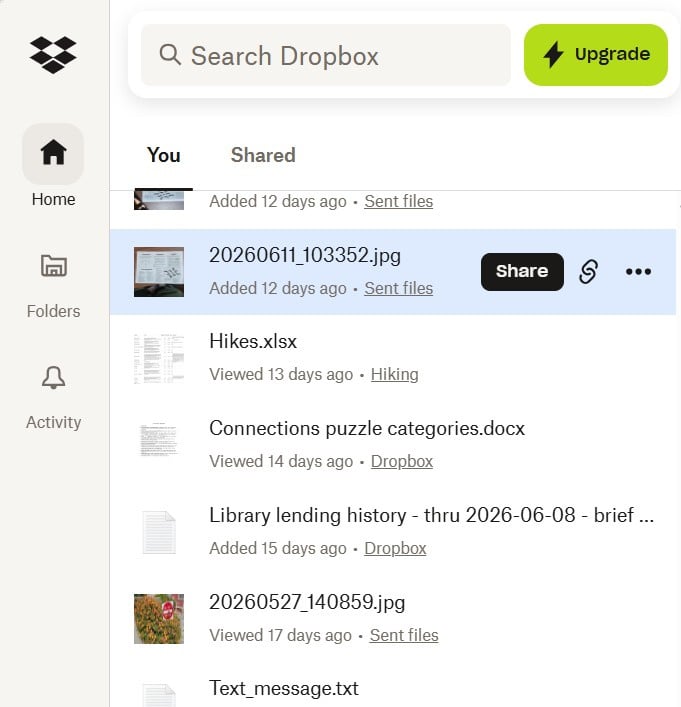
Dropbox worked fine on my Windows 10 laptop, but I guess I had an older version of the application, because when I installed it on my Windows 11 laptop, using the same monitor and the same display settings as the old laptop, the Dropbox user interface does not fit on my screen. As you can see from the image below, a number of options are unavailable (including preferences and Quit). I'm using a 1280x720 resolution, because everything is too small or skewed when I use 1920x1080. I know I could change my screen resolution to get Dropbox UI to fit (I think), but the idea of changing my resolution for a single app seems crazy! I have not run into this issue anywhere else. Is there a solution within the Dropbox app that would fix this (maybe in Preferences, which I'd be glad to change my resolution for one time so that I could get to it)? Otherwise, does anyone know if the Dropbox developers and management are aware of this issue?