Device
Dell Alienware 17
Operating System/Browser (if using the web)
Windows 11 Pro
Dropbox App Version (if using the app)
241.4.4853
Dropbox Plan
Plus
Question or Issue
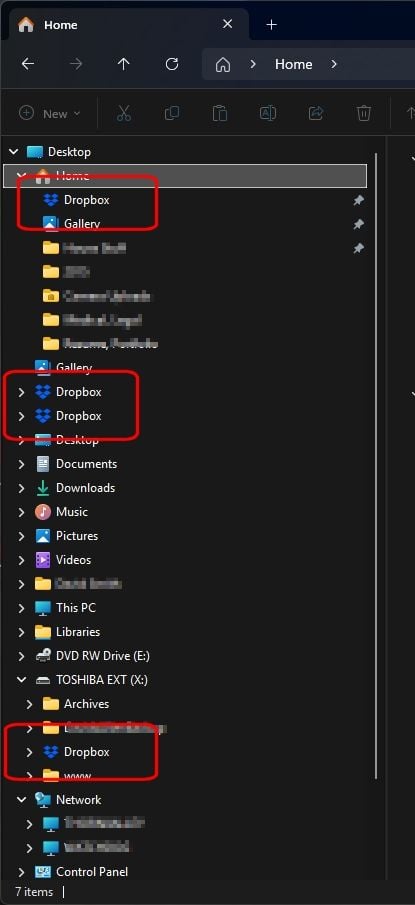
How do I get rid of Dropbox showing in multiple places in Windows Explorer? See screenshots. Dropbox functions fine it just appears in multiple places for some reason. This has actually been going on for a year or so but now there's four of them. How many am I really supposed to have? They all go to the same place but ...yea, this isn't right - is it? This feels like an obvious problem that should be addressed (like the various sync problems) but it doesn't seem like there have been many updates at all to the desktop app in quite some time.