Application Affected
Drobox
Device
Operating System/Browser (if using the web)
Windows 10
Dropbox App Version (if using the app)
Trying to reinstall
Question or Issue
I let CCleaner clean my Windows 10 desktop registry (I know.... big mistake). Afterward Dropbox did not work. I uninstalled and tried to reinstall (regular - not advanced) The reinstall renamed my Dropbox folder to DropboxOld, created a new dropbox folder and started downloading all my files again resulting in a full hard-drive.
Next, I uninstalled it again and tried an advanced reinstall. Same problem. So I uninstalled it again and restarted.
Next, I did some more research and found the page https://help.dropbox.com/installs/advanced-reinstall which contained directions for what to do before an advanced reinstall.
The only place I found any Dropbox folders was in the PROGRAMFILES.
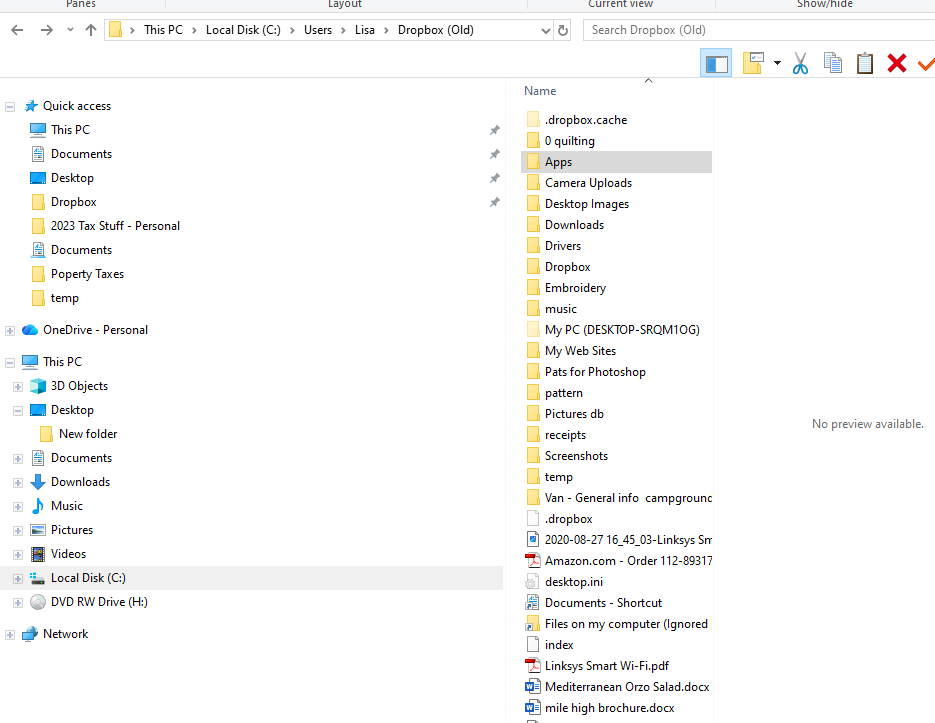
There are Dropbox and DropboxOld folders there.
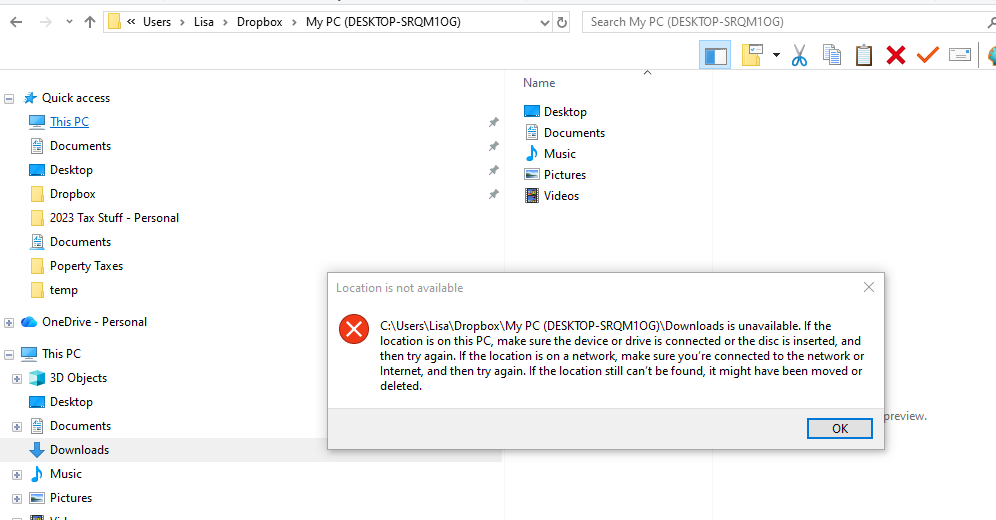
The Old folder seems to have my stuff. The Drobox folder only has a dowloads folder and I get a message saying location is not available. Neither folder has a Client folder.
Not sure how to proceed. Thanks!



