Operating System/Browser (if using the web)
Windows 11
Dropbox App Version (if using the app)
Question or Issue
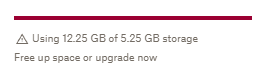
Earlier today used Laplink PCmover Professional to migrate from an old Win10 PC to a new Win11 PC. Generally fine but then started getting Dropbox alerts that using way too much space, which hadn't been an issue!
and it appears I've now got TWO Dropboxes on my desktop. They were I think both syncing and possibly generating multiple timeline versions on server I'm guessing. Have uninstalled Dropbox from Apps, and reinstalled, and currently chosen NOT to sync anything (hence I believe the red crosses).
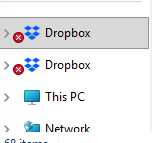
Can't deduce a way out of this - eg do/can I somehow remove the two local Dropbox [can't find how to do that tho] and then aim to get ONE and only ONE fresh copy down.
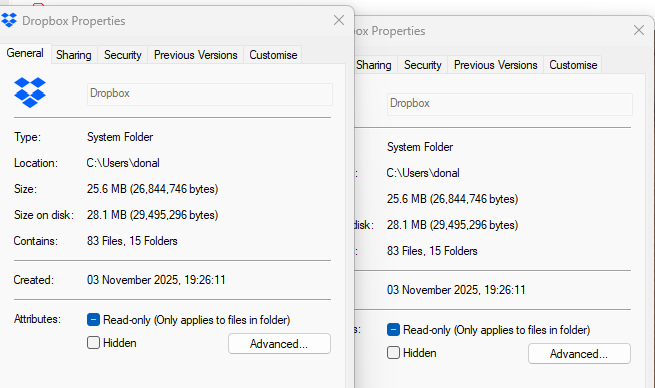
Both Dropboxes on desktop have the same properties/sizes and appear to have the same contents/folders etc.
Any help greatly appreciated!
Would be good to clear the new Win11 PC's dropboxes (offline/unsync'd) and then get fresh from server.



