Device
(Dell XPS 9320)
Operating System/Browser (if using the web)
(Windows 11)
Dropbox App Version (if using the app)
v234.4.5591
Dropbox Plan
(Plus)
Since upgrading to Windows 11 two days ago, Windows Search (Explorer search) no longer finds files stored in my Dropbox folder.
On Windows 10, I used to add the Dropbox directory to Indexing Options, and search worked perfectly — I could quickly find and open files among hundreds of thousands stored in Dropbox.
Now, on Windows 11:
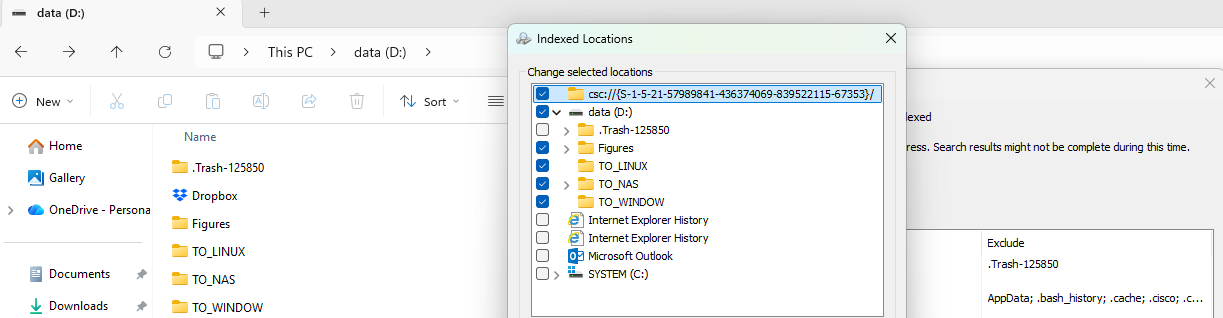
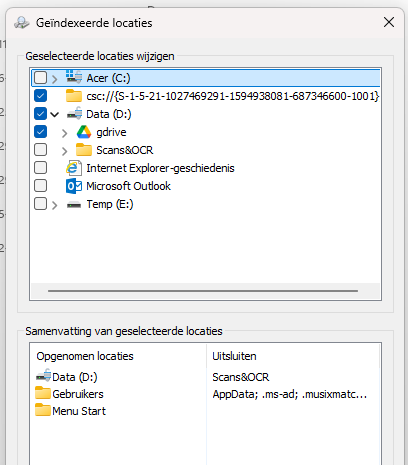
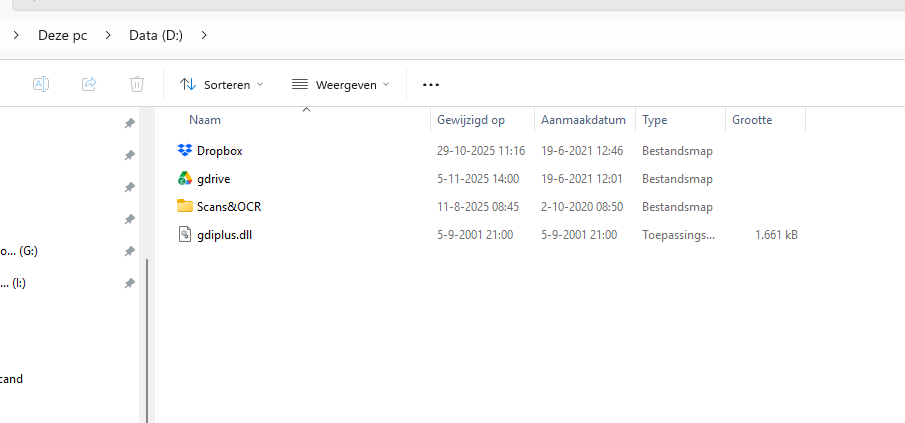
The Dropbox folder does not appear in Indexing Options (the  drive is listed, but not the Dropbox folder located at /Dropbox).
The Dropbox folder seems a virtual reparse point, which Windows Search ignores.
Expected behavior:
Windows Search should be able to index and find Dropbox files (at least those available offline) when Smart Sync is enabled.
Actual behavior:
Dropbox’s Smart Sync implementation seems to prevent Windows Search from indexing the Dropbox folder on Windows 11