Application Affected
Dropbox
Device
HP Probook 650
Operating System/Browser (if using the web)
Windows 10 Pro
Dropbox App Version (if using the app)
none at this moment, not able to install
My dropbox recently popped up a message that I had to update the app. It also stopped syncing. So I downloaded the installer for the update. When I launced it, it said "On your marks", next the window disappears. Nothing seems to happen with the update and dropbox still won't sync.
In services I noticed there are two dropbox updater services. I tried to start them manually but both failed with an unknown error.
Next I completely removed the Dropbox application, removed all registry entries related to dropbox and all dropbox folders on my system (except the data folder).
Downloaded the installer. It launches, downloads the program and next displays a window saying "installing dropbox" with a progress bar. But the installation never finishes and hangs indefinately (tried to leave it at least for an hour).
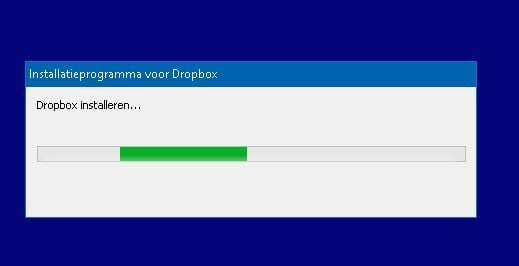
When I try to close the installer window, it ask me to confirm I want to cancel the installation. When I confirm cancellation finishes after a few minutes and the window closes . However all dropbox processes remain active in the task manager:
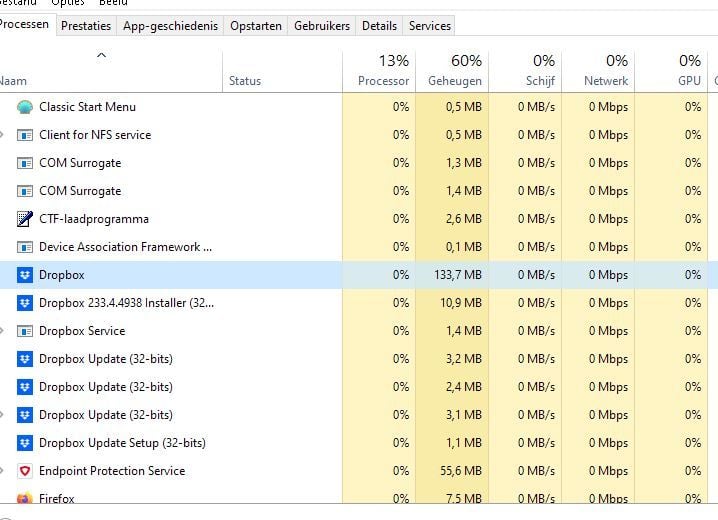
When I try to start the installer again, it says there is already an installation running. When I kill all dropbox processes in the task manager, I can relaunch the installer but with the same result, it hangs forever without any error message.
Anything else I can try, or should I start looking for another storage solution?










