Device
Lenovo Legion with Windows 11
Operating System/Browser (if using the web)
N/A
Dropbox App Version (if using the app)
231.4.5770
Syncing Status
Downloading
Question or Issue
When I right click on a file or folder, I don't see the option "Make Available Offline", which I do see in my other computers. This is a fresh dropbox install. I need this option because I like having my whole library synchronized, but only download files as needed.
This is my dropbox current status

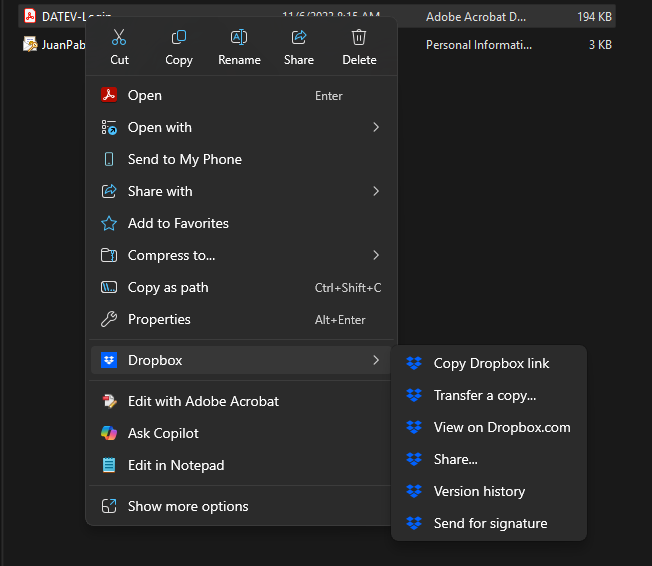
This is how the context menu look like:

As you can see, there is no "Make available offline" or "Make online-only" options in the menu.
I have checked different threads in the forum but nothing seems to work for me.