Hi everyone,
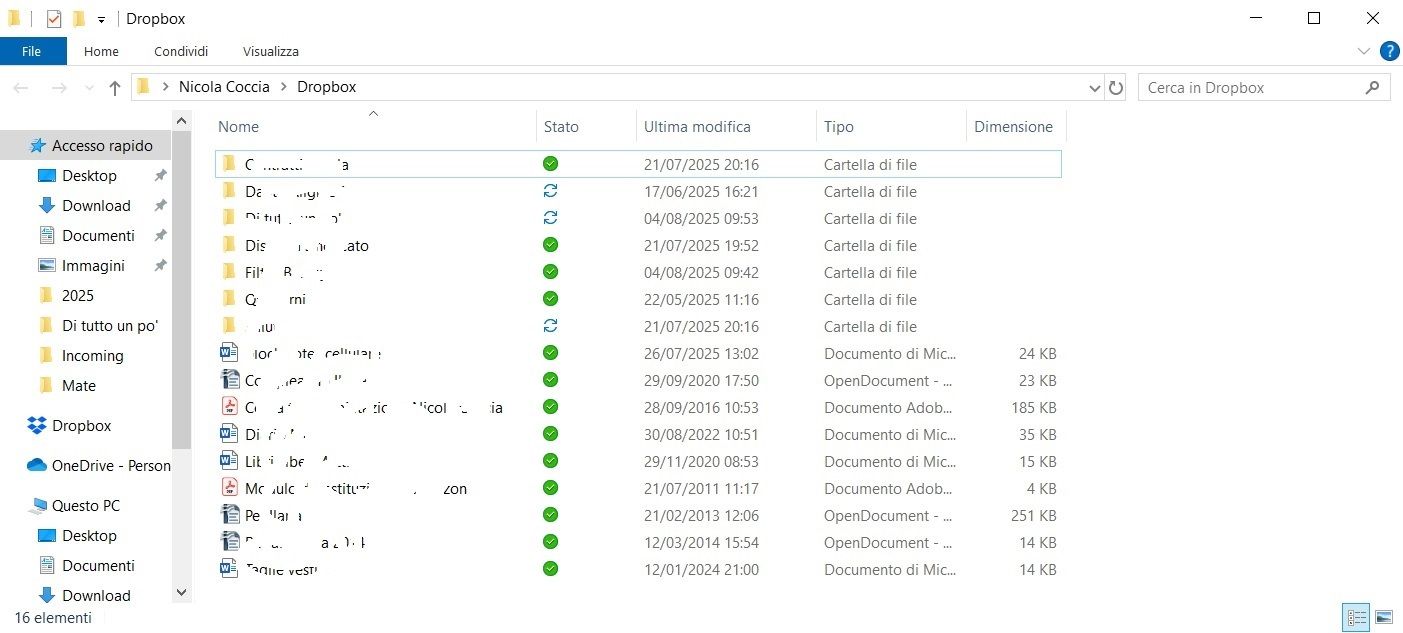
Since Dropbox updated the icon system, on my Huawei PC there are some folders that constantly show the two blue circular arrows, indicating continuous synchronization. This only happens on this specific PC, not on my other devices.
The status says “All files are up to date,” and under “Issues” I see “No issues found.”
What’s strange is that when I open those folders, all the files inside are correctly synced. So I believe this is just a visual or graphical issue.
Do you know how to fix this, or can I safely ignore it as long as everything works properly?
Screenshots are attached below.
Thanks in advance!