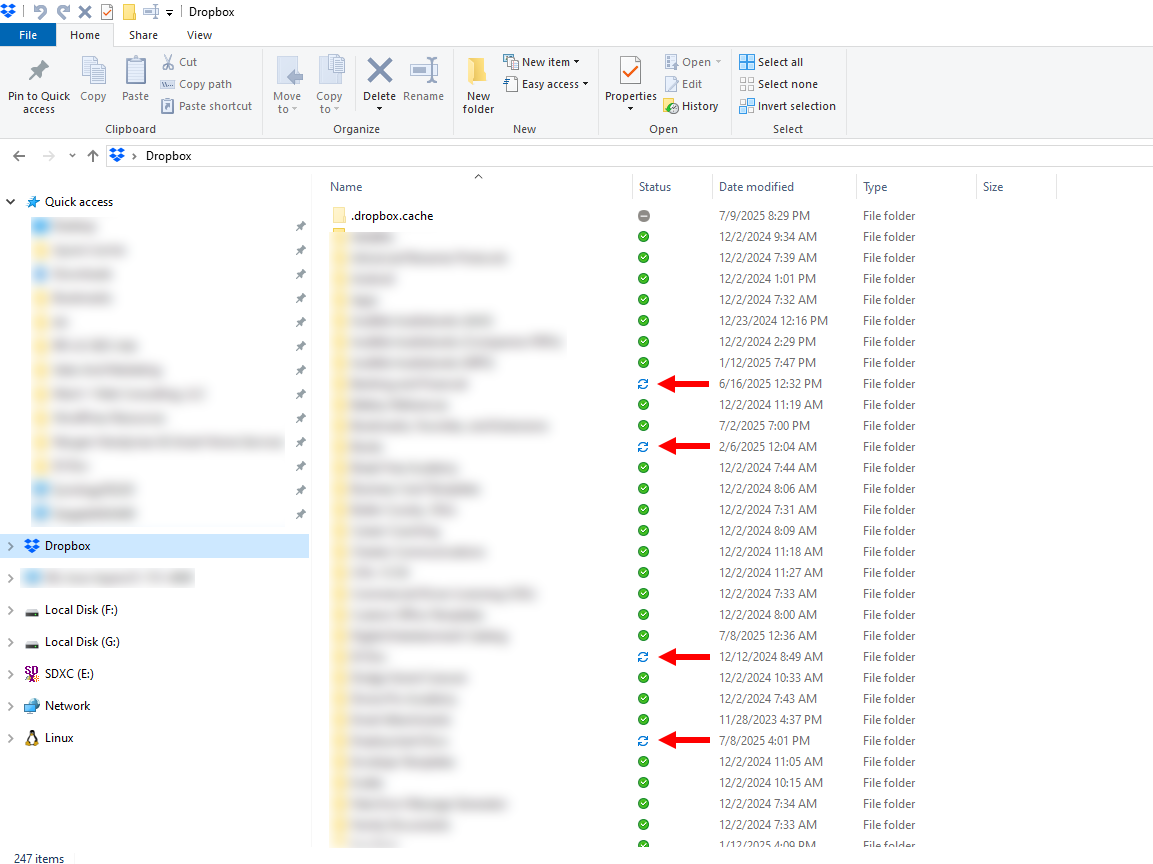
OK, so the day I dreaded seems to have finally come.
Dropbox rolled out its "new appearance model" to production, bringing the end of the era of status icons overlaid on program icons and, instead, in their own neat little column carved out for themselves.
Yes, my Dropbox updated today to version 227.4.4774. 🙄🙄
So, in the process, it apparently had to "re-sync" my files, which took some time. It gave me the whole "you can have your files "Offline," "Available," or "Online Only." I always opt for "Offline." While I love Dropbox, I do not fully trust my files to be resident on your servers and not on my own drive. I just want it for sync. If I want more room, I'll upgrade my hard drive.
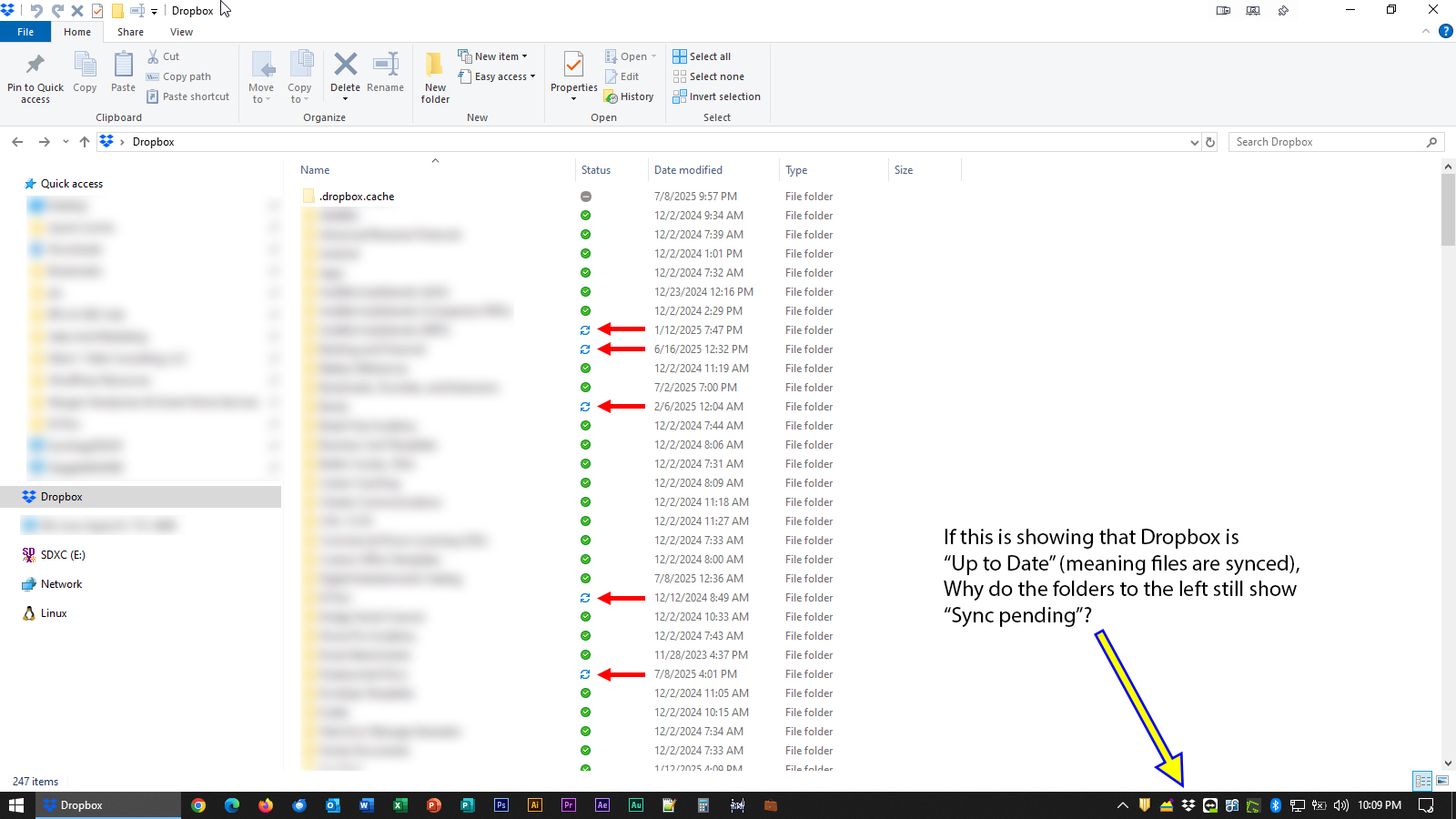
Anyway, I let Dropbox finish up its little sync party, and I came back to see what you see in the screen capture shown at the following link:
(For some reason, this forum wouldn't let me submit my post by using the "Insert Link" option in the editor, which is weird...your developers might want to look into that, too.)
The tray icon seemed to indicate that the "sync" was complete, and that my files were "up-to-date."
That doesn't appear to be the story my new-found little "column status icons" tell. Some of those indicate that a "sync" is "pending."
I gave it some time, I restarted my computer to make sure that any hiccups or belches might otherwise be resolved through that. No dice. It's still showing the same thing.
So now I'm confused. Are they synced, or are they not synced?
If they're synced, why does it show "sync pending"?
If they're not synced, why does the tray icon indicate that my files are "up-to-date"?
Help a brother out.
I feared this would be a mess.