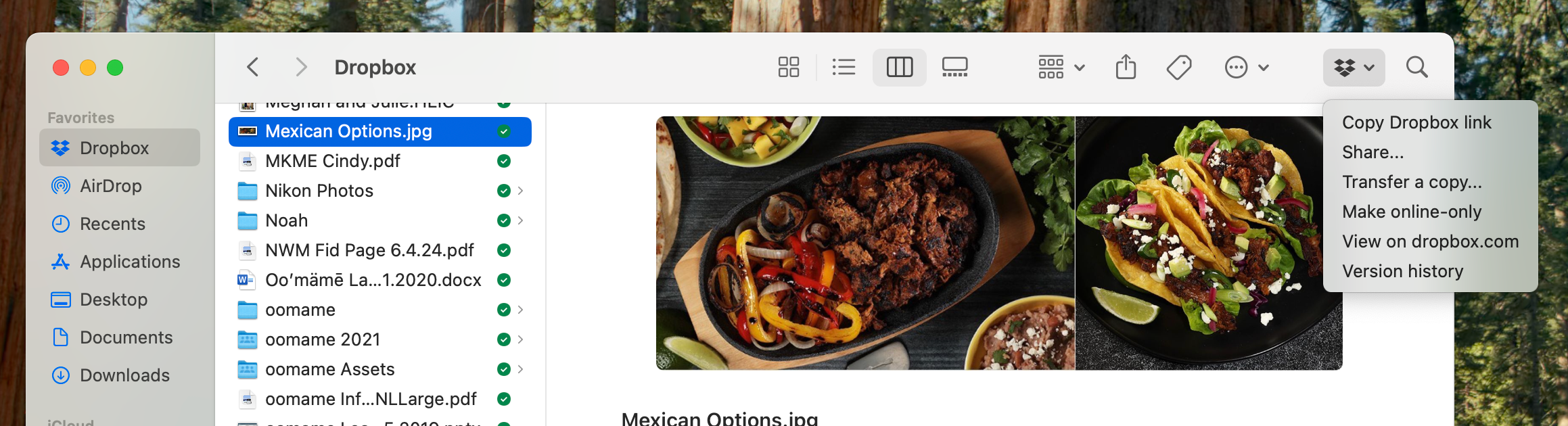
I just moved to a new MACbook Air. Latest OS system. I keep 2 profile on the computer; one for business and one for personal. I use the same Dropbox account for both purposes. I added the account to my personal profile and everything worked as planned. I then went in to the business profile, added Dropbox App and the files came over so I could see them but the icon that I use all the time in the top right hand corner of the finder window is nowhere to be found. I went in to settings as clicked all the buttons around "login extensions" for Dropbox but still not visible. Rebooted 2x as well. See photos of one with the dropdown open the other does not have the icon. One additional item, in the second account I chose the folders I wanted to have be available locally but they all show in the cloud. Not sure why this happened. If I cannot solve this I may have to move to another Cloud provider. I am very frustrated that even with a paid account for 2TB of data there is no one to speak with or chat with. Big mistake for Dropbox loyalty. Thanks for your help. Mark
Top photo is Personal account with the icon and dropdown box. the second photo is the Business account without this icon I am trying to add.