Hello!
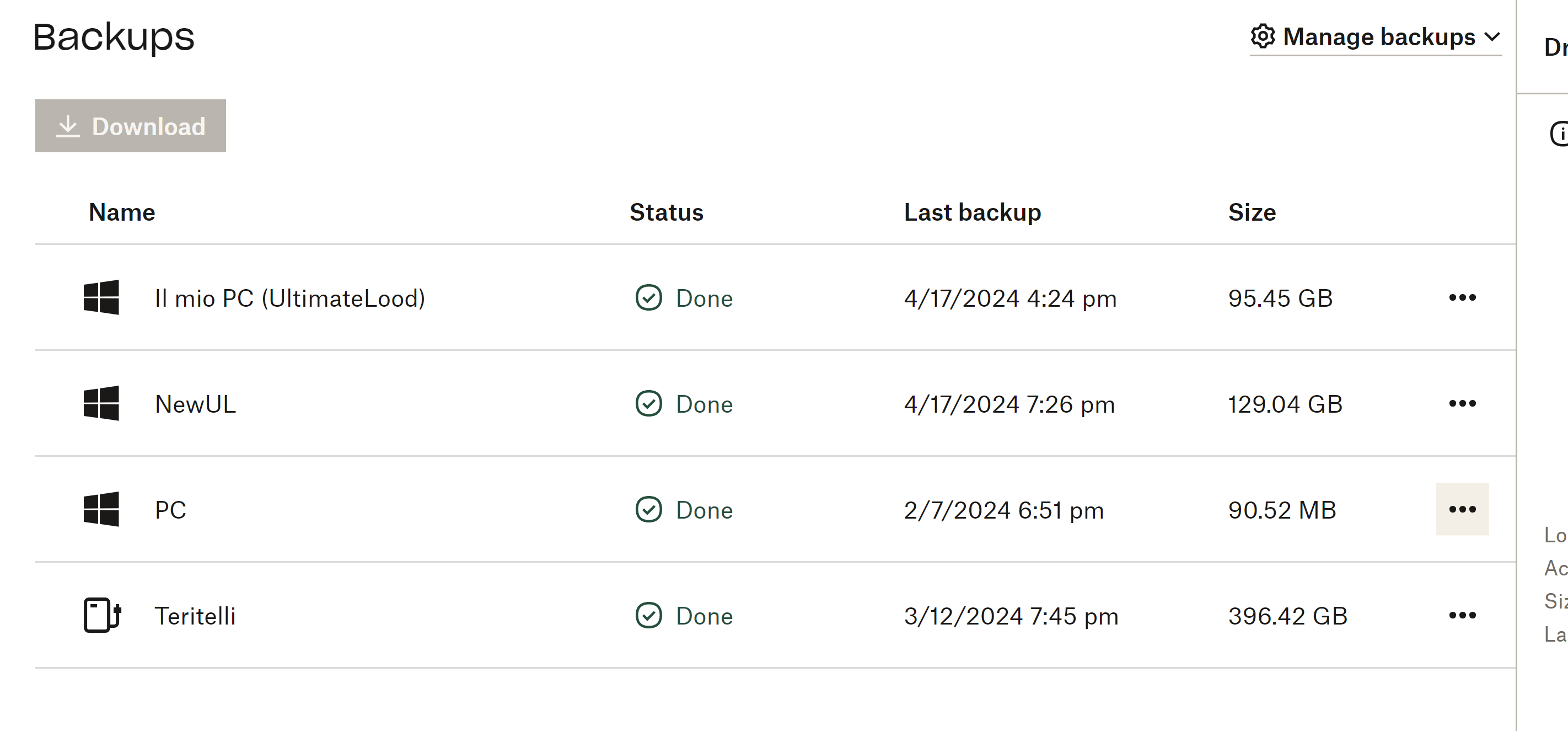
Since I started using dropbox I had 3 laptops. All them are/were backed up in dropbox backup and I could see them in my dropbox desktop app, just by opening any explorer folder and going on the right path. All the files in these folders could be synced online or locally like any other file in dropbox and had the little tick on the bottom left of the file icon, and I could see the main folder with the name of the laptops in my dropbox tree in explorer.
The other day, I noticed that the files in my actual laptop's main folders (desktop, download and documents) did not have that icon anymore. I opened explorer, clicked on the dropbox tree and then on the folder corresponding to my actual laptop's and noticed there were different, newly-created desktop, download and document folders in it.
So, I deleted that folder associated to my laptop that seemed to be empty (of note, in the dropbox backup website, I could still see all my laptops' backups, including this one that had just disappeared from my desktop), and launched a new backup, hoping it would pop up again in my explorer. It took forever to upload hundreds of GB (that were already there!) and at the end, I still cannot see my laptop's backed up folder on my desktop app.
Can someone explain me what happened? And, most of all, how can I put that folder with the content of my laptop on the dropbox desktop app again? All the other old laptops are backed up and visible in the drop box desktop app! I need this because I access the same dropbox from my office computer.
Thanks to whoever will be able to help me!