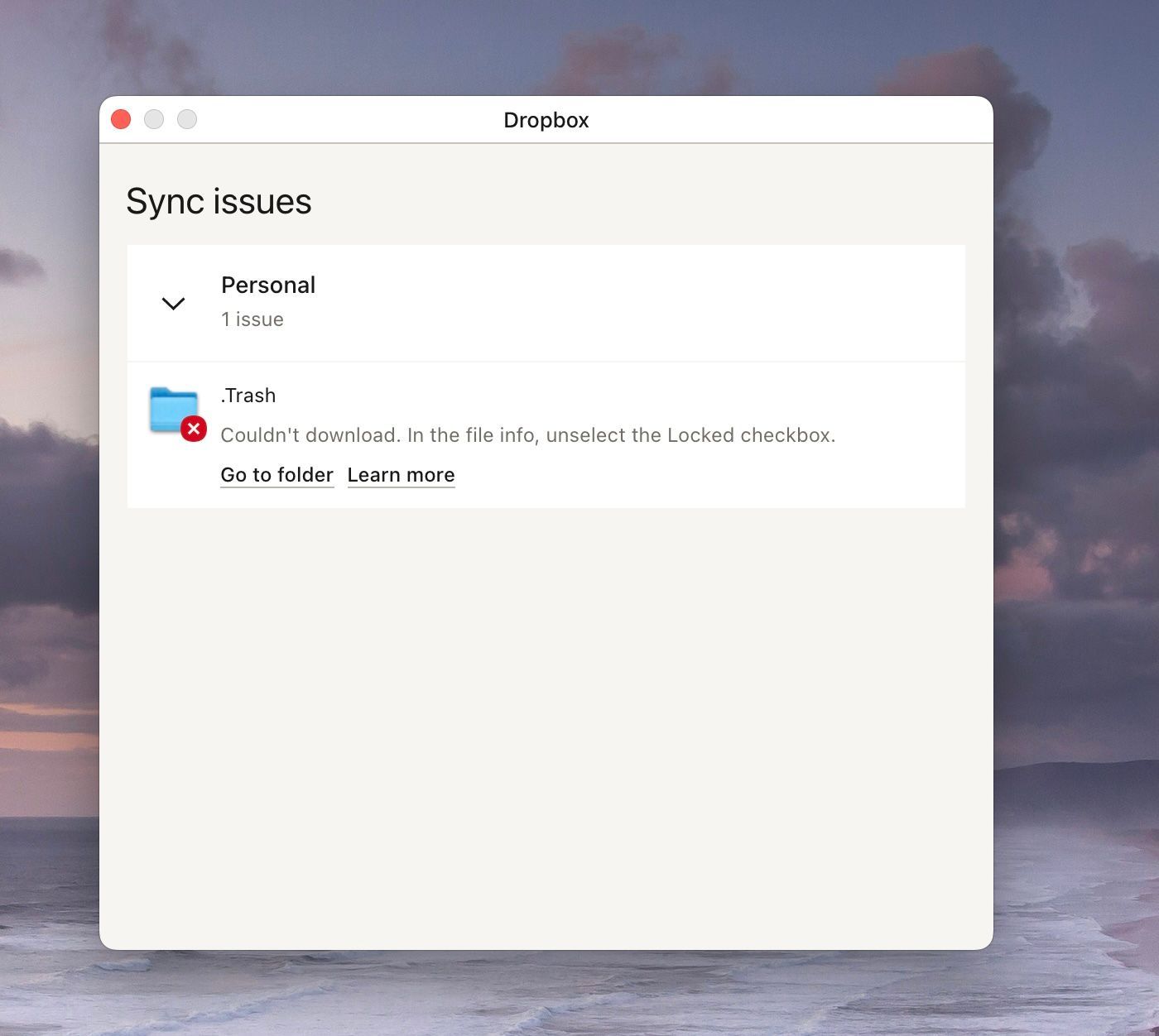
I'm using the Dropbox app on my Mac. It consistently reports the error on the .Trash folder that it's locked and so can't sync. But I can't find a way to unlock it. What can I do?
Thx
Speaking of strange -- I didn't change anything, but the error disappeared . . . but thanks for your help. I'll let you know if it reappears.
Hey @Robert T.30, sorry to see that you're having this issue.
Can you please send us a screenshot of the error, so we can have a visual as well?
Also, what's the Dropbox sync status and version on your computer?
You can see that by hovering over the Dropbox icon in your menu bar.
Thanks in advance!
Hannah, I attach a screenshot. The version doesn't appear, just "Dropbox", but I just (re)downloaded the Mac app today.
Thanks for the screenshot, Robert!
Just to confirm, are you hovering over the small Dropbox icon at the top of your screen by the WiFi icon?
Yes, at the top (see attached)
Hmm, that's strange, you should be seeing the Dropbox version and sync status when hovering over this little Dropbox icon.
Do you see this .Trash folder in your Dropbox folder? If you right click on it and then choose "get info", do you see the lock setting mentioned in the sync issues tab?
Huh, okay, good news, then!
Of course, if it comes back, do let us know and we'll happily continue looking into it.
Thanks, Robert and have a good day!