I have a Mac Powerbook with Ventura on it. And since a recent Dropbox update which placed the Dropbox folder in a different place on the Finder, I have been having erratic problems with files not sycing.
I record Zoom sessions and then send the Dropbox link to participants. And in the past year it has worked seamlessly.
Since this upgrade, the files sometimes sync very slowly. Sometimes not at all. Typically I have two files per session. One uploads fine. And the second might get stuck.
For example, a file I want to sync shows in the Mac Finder with a white cloud signifying that it is syncing. When I got to the Dropbox app assistant tray app it shows as "waiting to sync" but never does. There is however a message at the bottom of the app tray that says 'Syncing 2 files' - but this never seems to change.
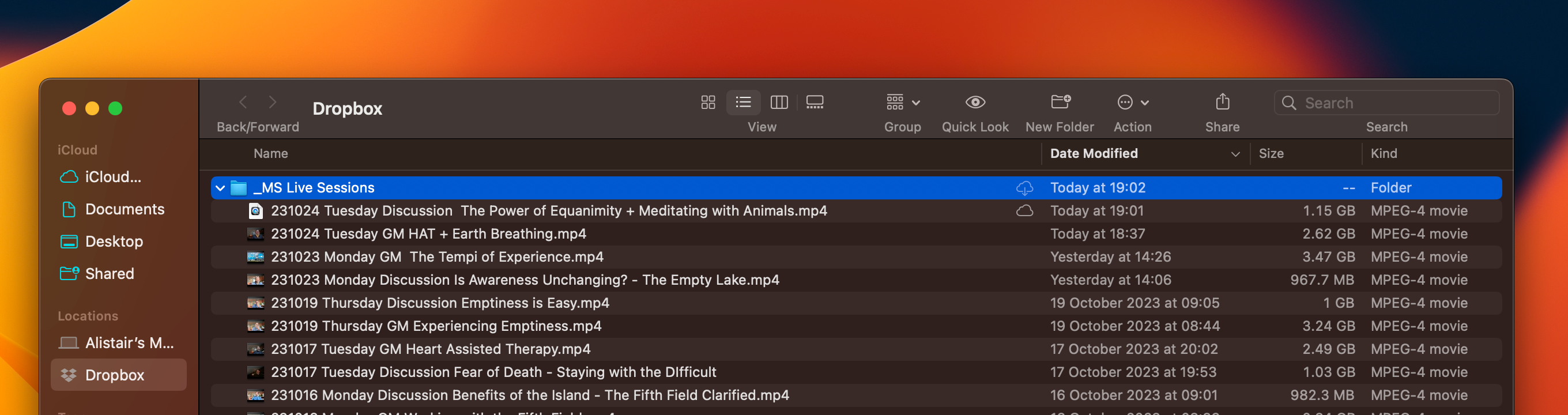
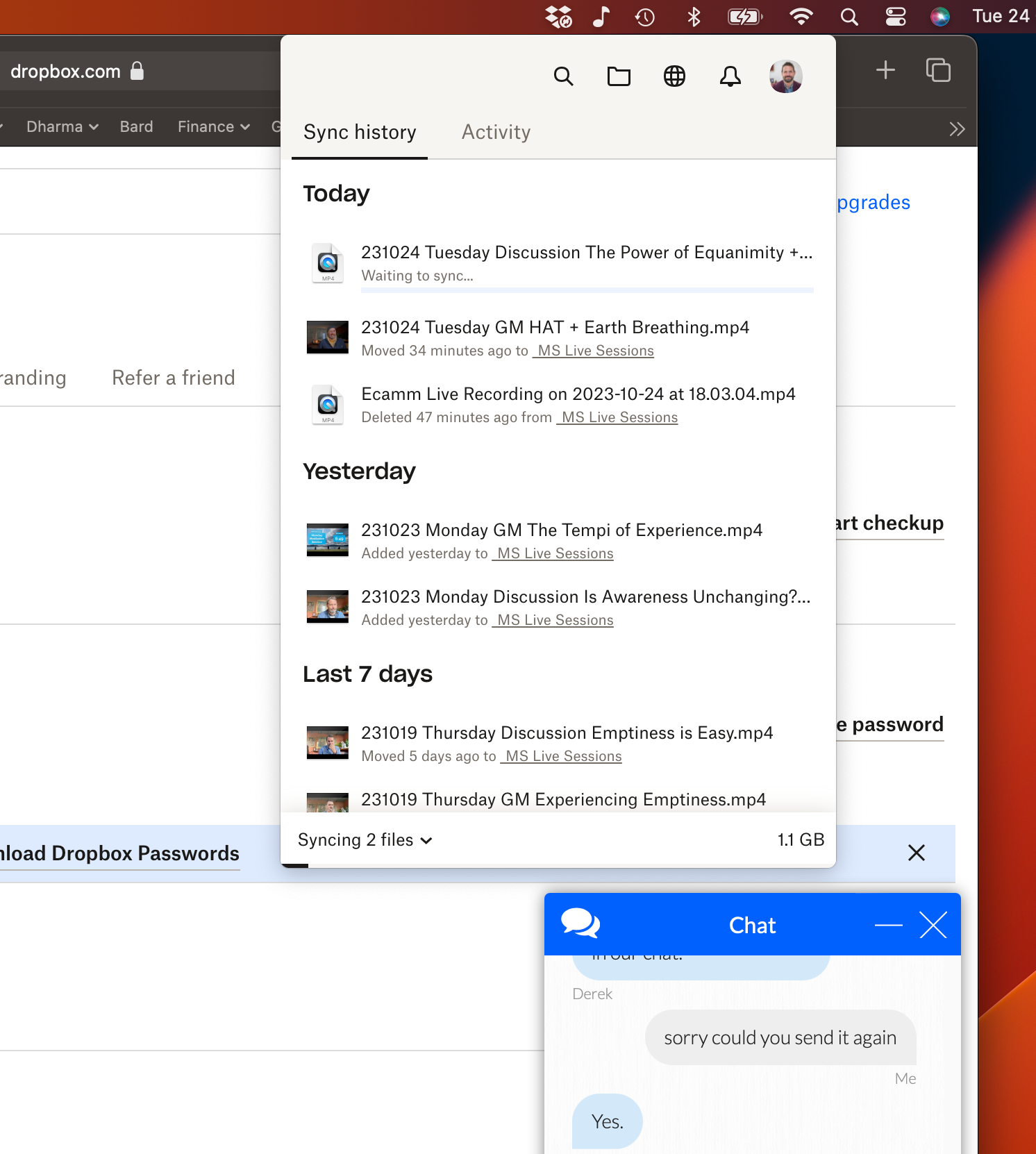
Could it be that there are two 'phantom' syncs in the queue which are holding things up?
Does anyone have any suggestions? Is there a way of 'clearing the cache' or the queue?
The chat help here was really supremely UNHELPFUL so I'm hoping the community might be a better bet.

