During installation I am encouraged to turn on the Dropbox Backup feature.
I would love to! Why can't I click "Set up" to continue?
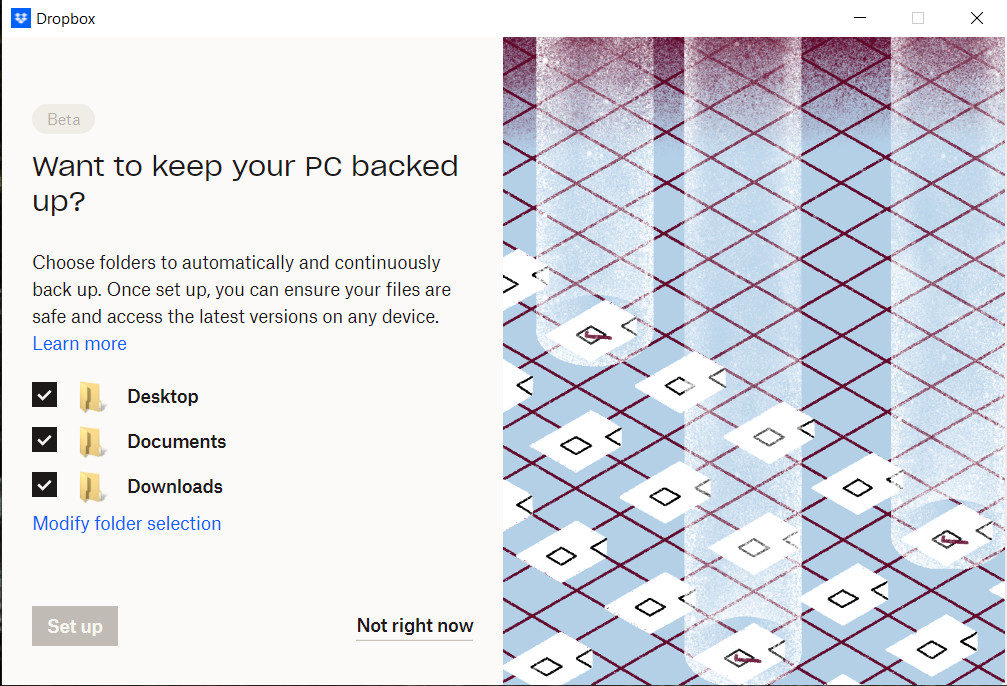
Things I've tried:
- Click "Not right now" and come back to it in Preferences later. Still the "Set up" button is disabled, but further to this now this popup window is stuck open. Clicking "Not right now" and then "Continue to Dropbox" does nothing... I can't even click the X to close this window.
- Uninstall/reinstall the Dropbox app. I've gone through the "Advanced re-install" found here: https://help.dropbox.com/installs/advanced-reinstall
- Ask support chat for help. They refer me to use Twitter or Facebook to talk to a specialist, or to use the forum, and so here I am.
I will continue to search the forum for similar issues - though I'm not really sure what I could possibly be doing wrong. The app has little to no settings and I've modified none of them.
Some info:
Version: 162.4.5419
OS: Windows 10 x64 21H2
I am not linked to any team or business account.
I have manually synced one text file, once, just to see that it's working, by copying it into the Dropbox folder.








